
Your whole team's time and productivity, on your own server
Each employee tracks their time with Saldae Tracker. You see the team's day in your own tracker: who is working right now, for how long, what was productive, with the screenshots. Everything stays on a server installed on your side.
What you see
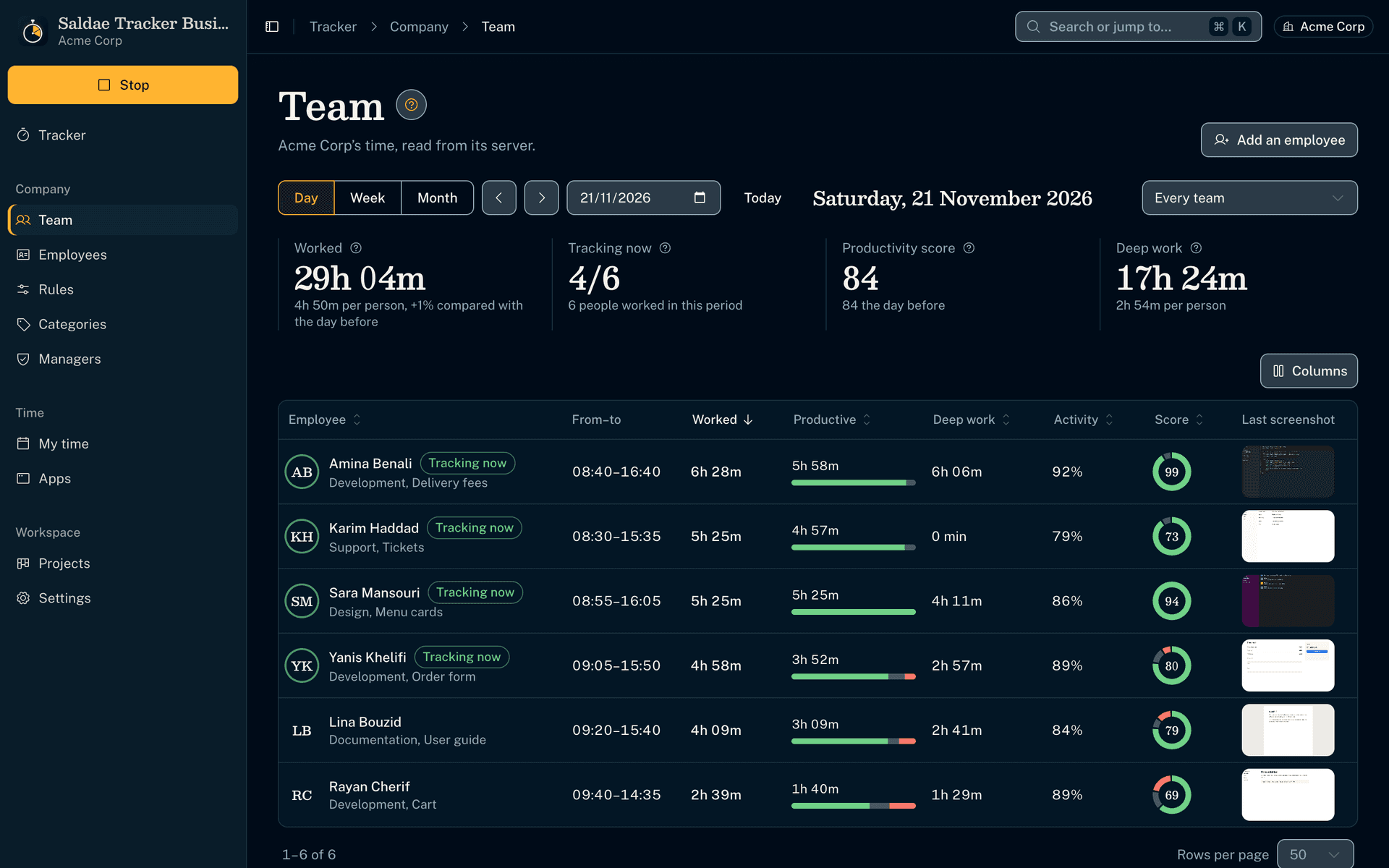
Every employee at a glance
- Their hours, productive time, deep work, activity, score and last screenshot, sortable by column.
- Where the team's time went, by category: development, design, messages, meetings, social media.
You decide what is productive, team by team
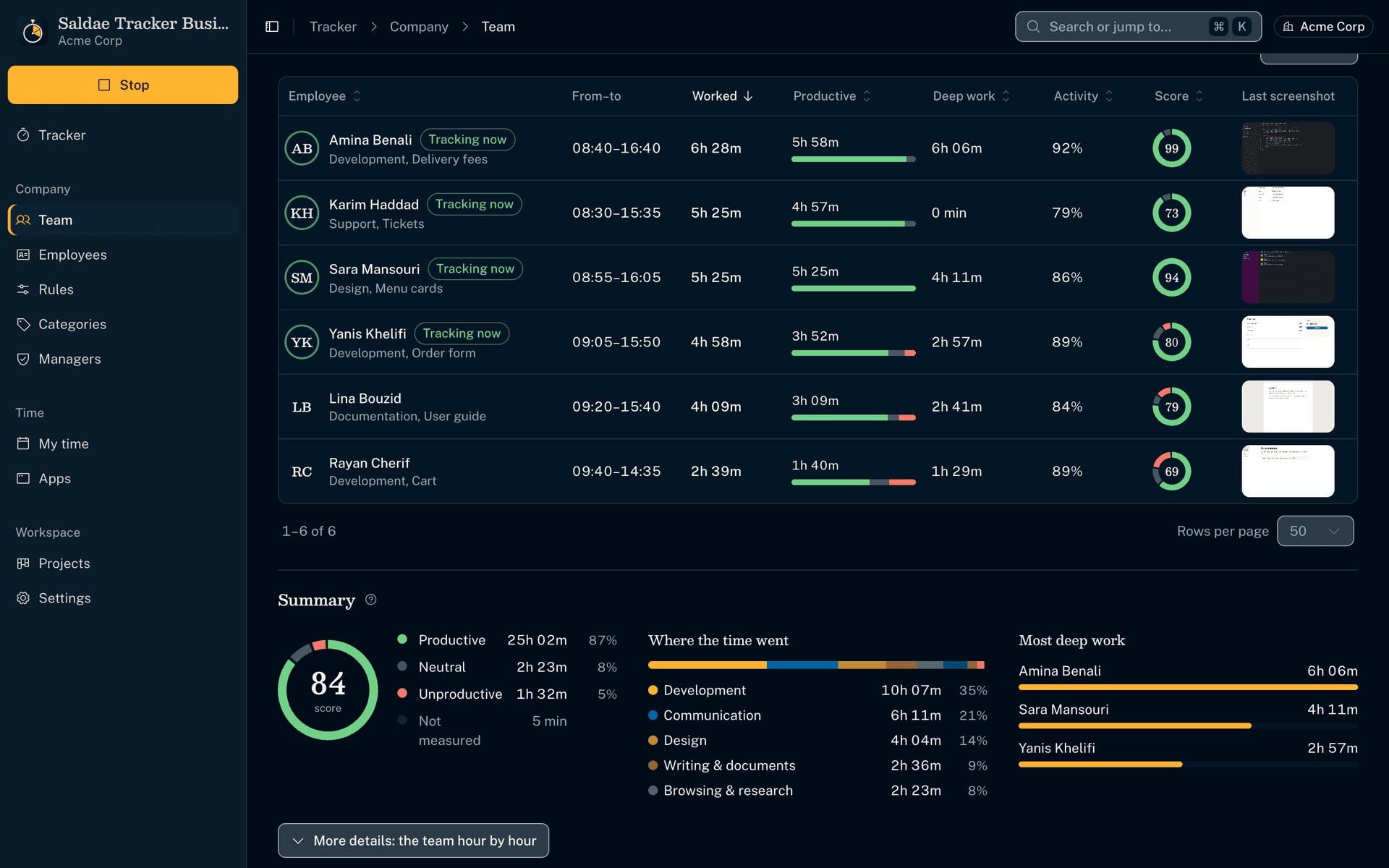
- Each team has its own definition of productive work. Facebook can count as work for marketing and as a distraction for accounting.
- You file each app and each site, then say whether its category counts as deep work, work with others, neutral or unproductive.
- What you leave alone for a team follows the company. The trackers, the scores and the Team View follow within a minute.
An employee's day, as they see it
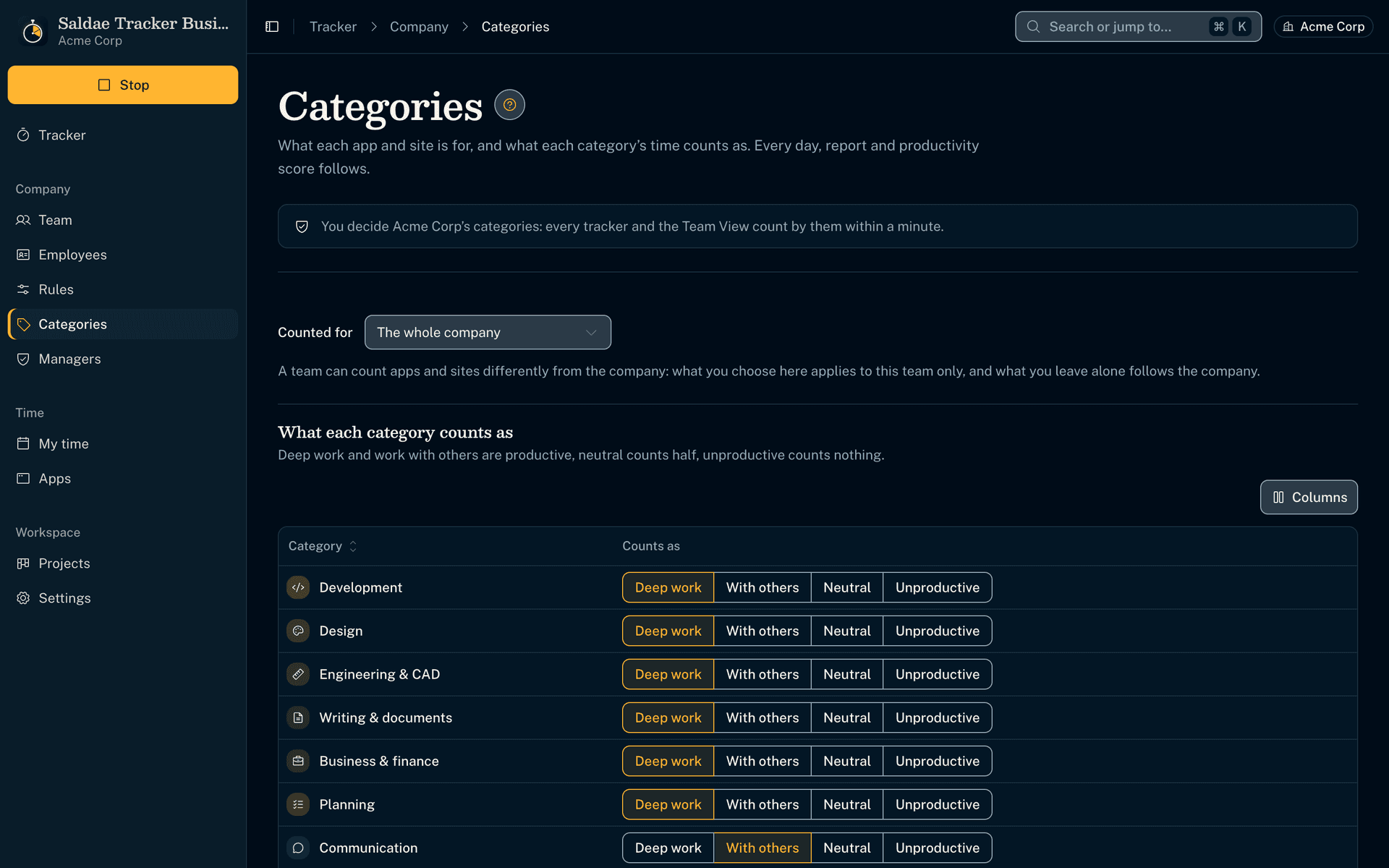
- Their productivity, timeline and stretches of work with their memos: the same figures their own tracker shows them.
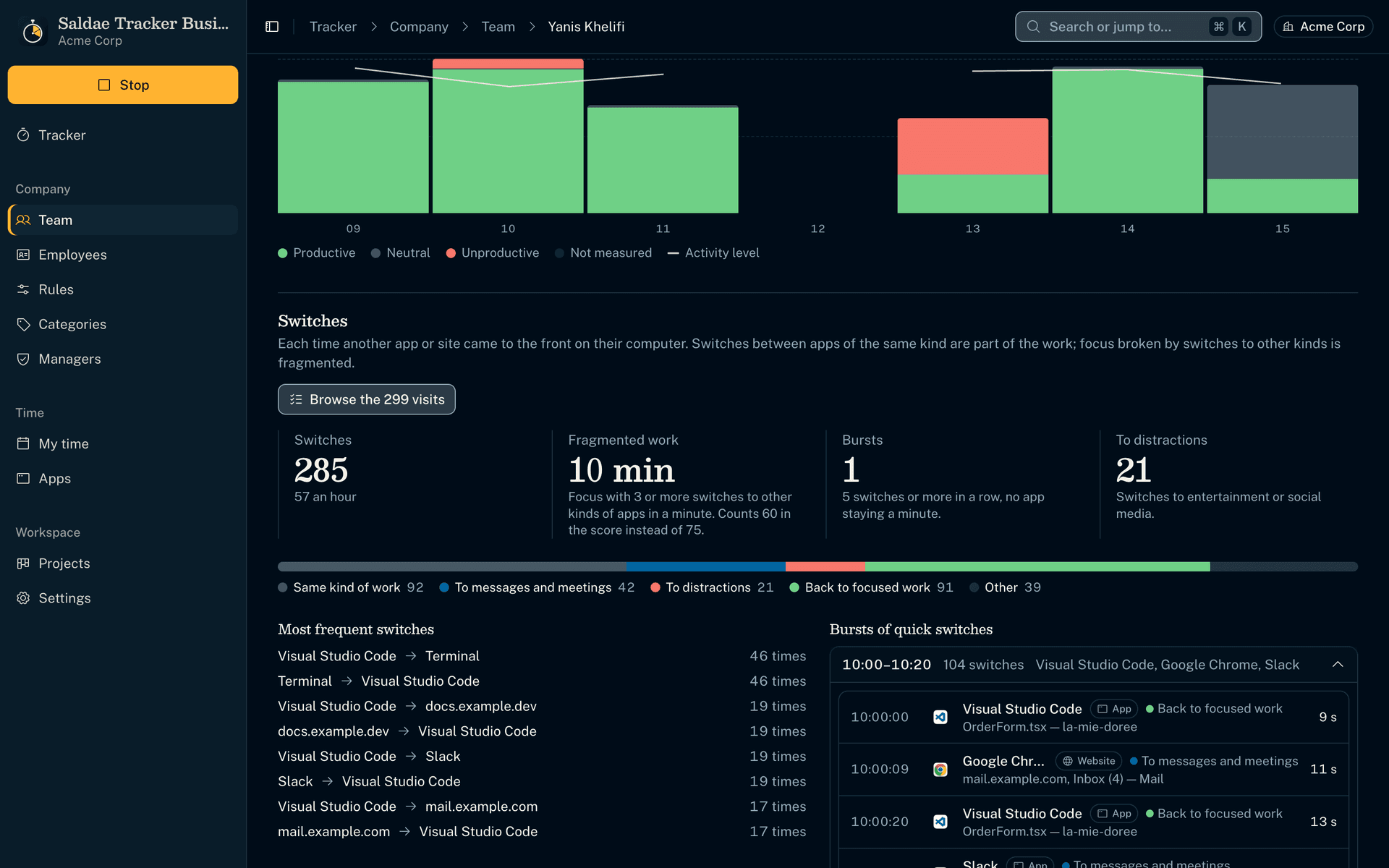
Their switches between apps
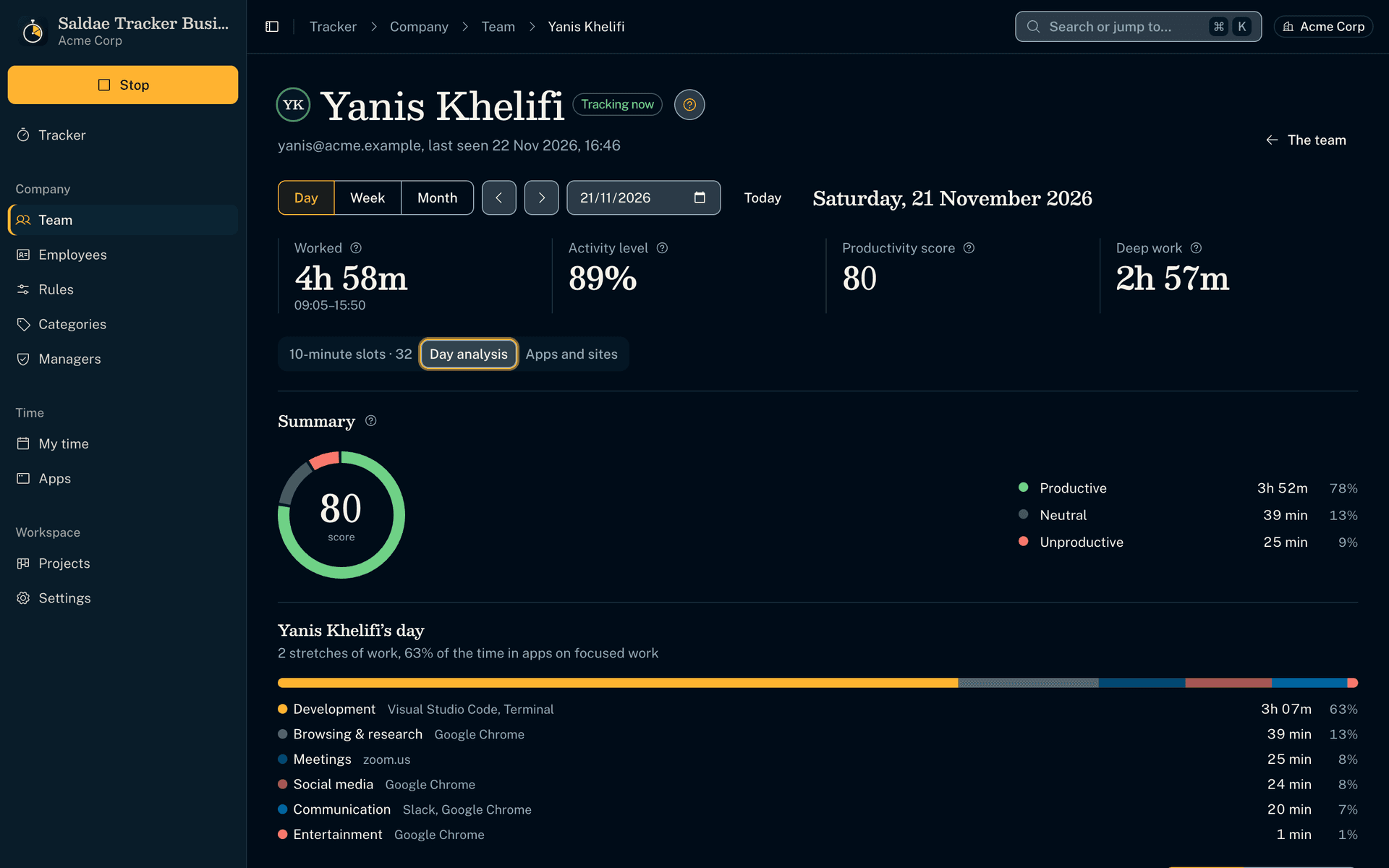
- The bursts of quick switches open on their sequence: each app, to the second, and its time in front.
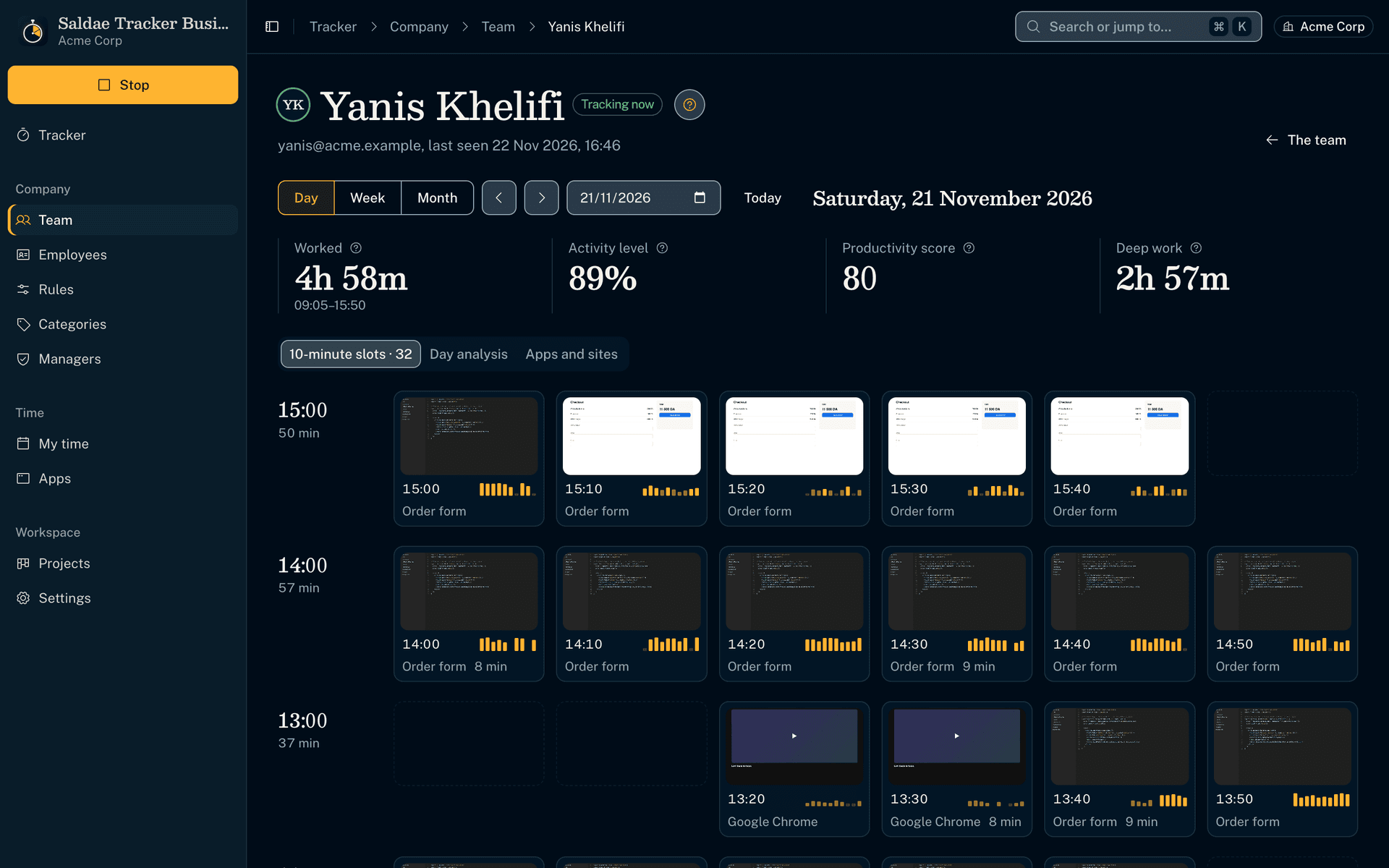
Their Work Diary, with screenshots
- Every 10 minutes with its screenshot, activity bars and memo, as your rules record them: sharp, blurred or off.
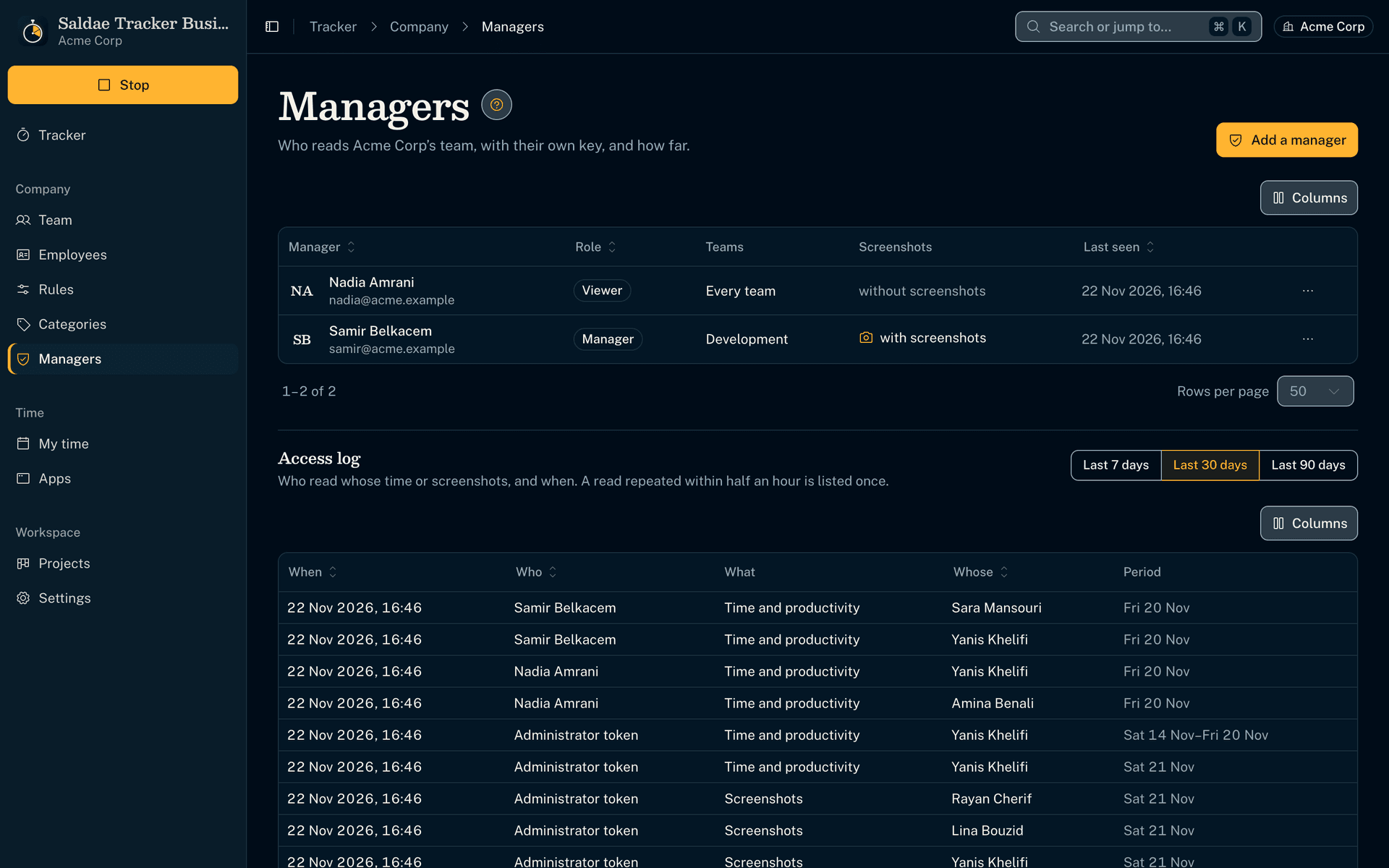
A key for each manager, and an access log
- Each manager has their own key and role: viewer, manager or owner. A team lead sees their people, the director everyone.
- Screenshots are granted separately: HR can read the hours without seeing the screens.
- The access log says who read whose time or screenshots, and when.
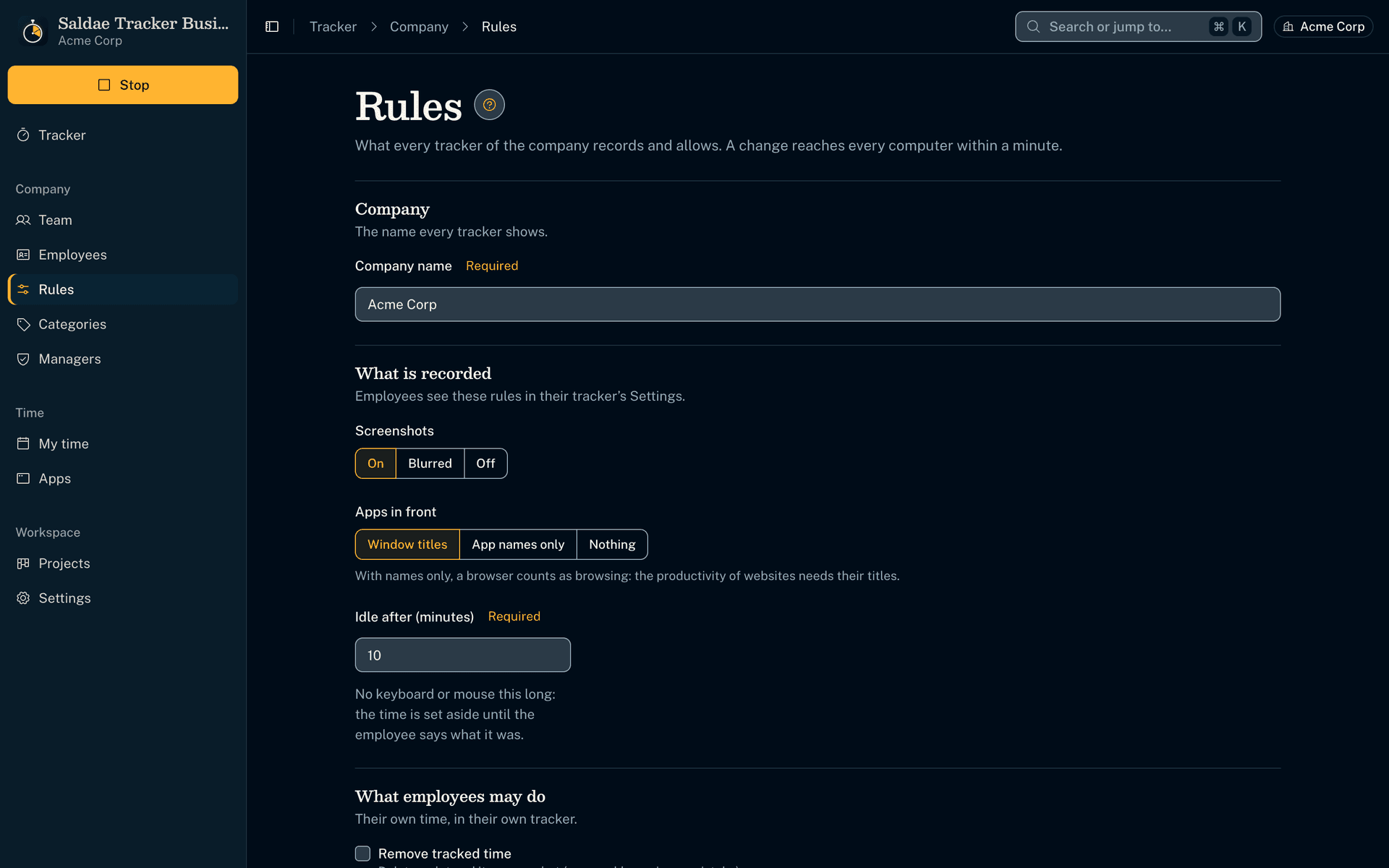
Your rules, changed from the app
- Screenshots sharp, blurred or off, recorded apps, idle time, removing time and manual time: you change everything from your tracker.
- Every computer follows the new rule within a minute.
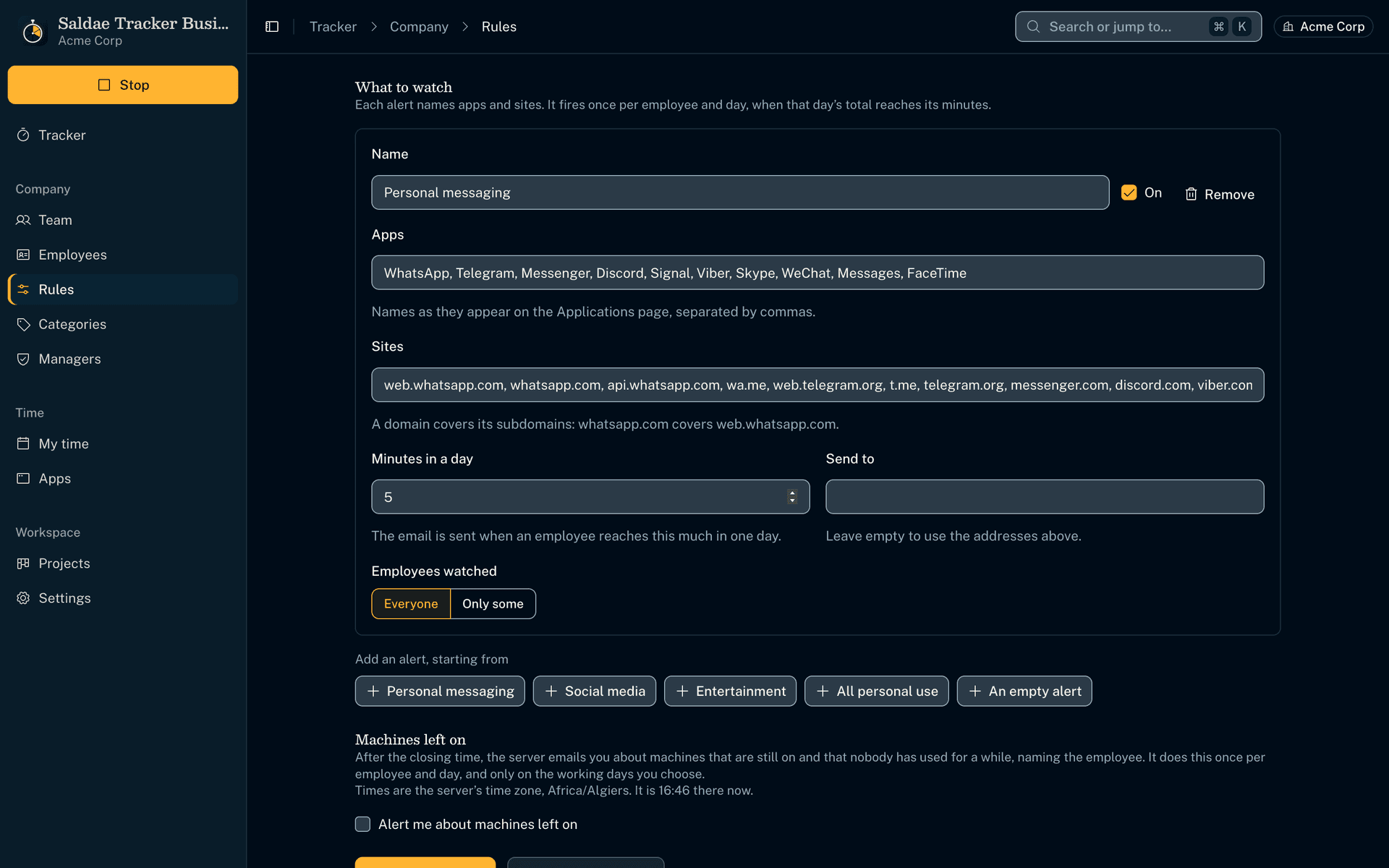
Email alerts on the apps and sites you watch
- An alert names apps and sites, such as WhatsApp or Telegram, and the minutes allowed in a day.
- When an employee reaches them, the server emails you once that day, from your company's own mailbox.
- It watches everyone or only some employees. Each one reads in their Settings what is watched.
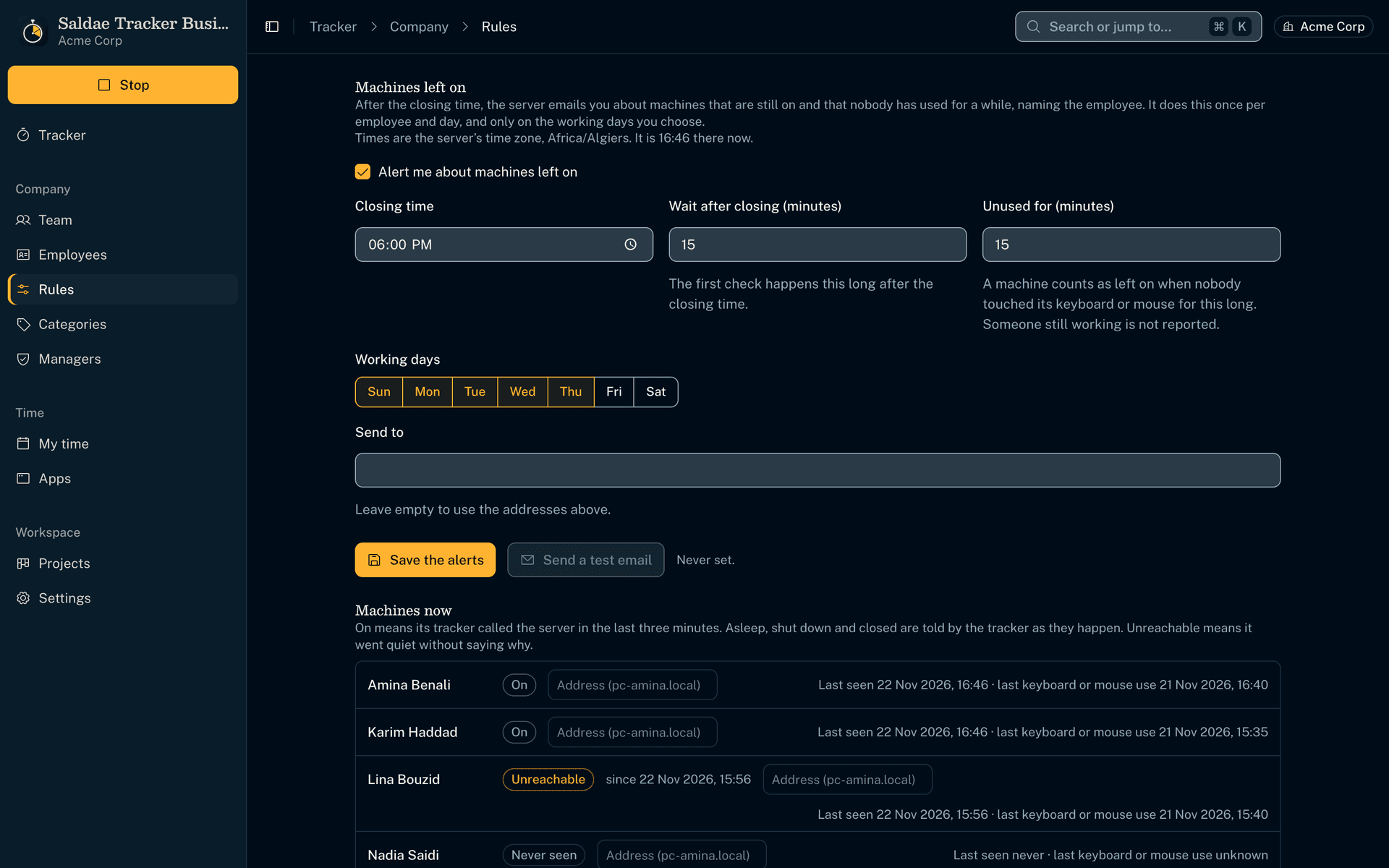
Computers left on after closing time
- You give the closing time and the working days.
- After that time, an email names the employees whose computer is still on and unused. Someone still working is not reported.
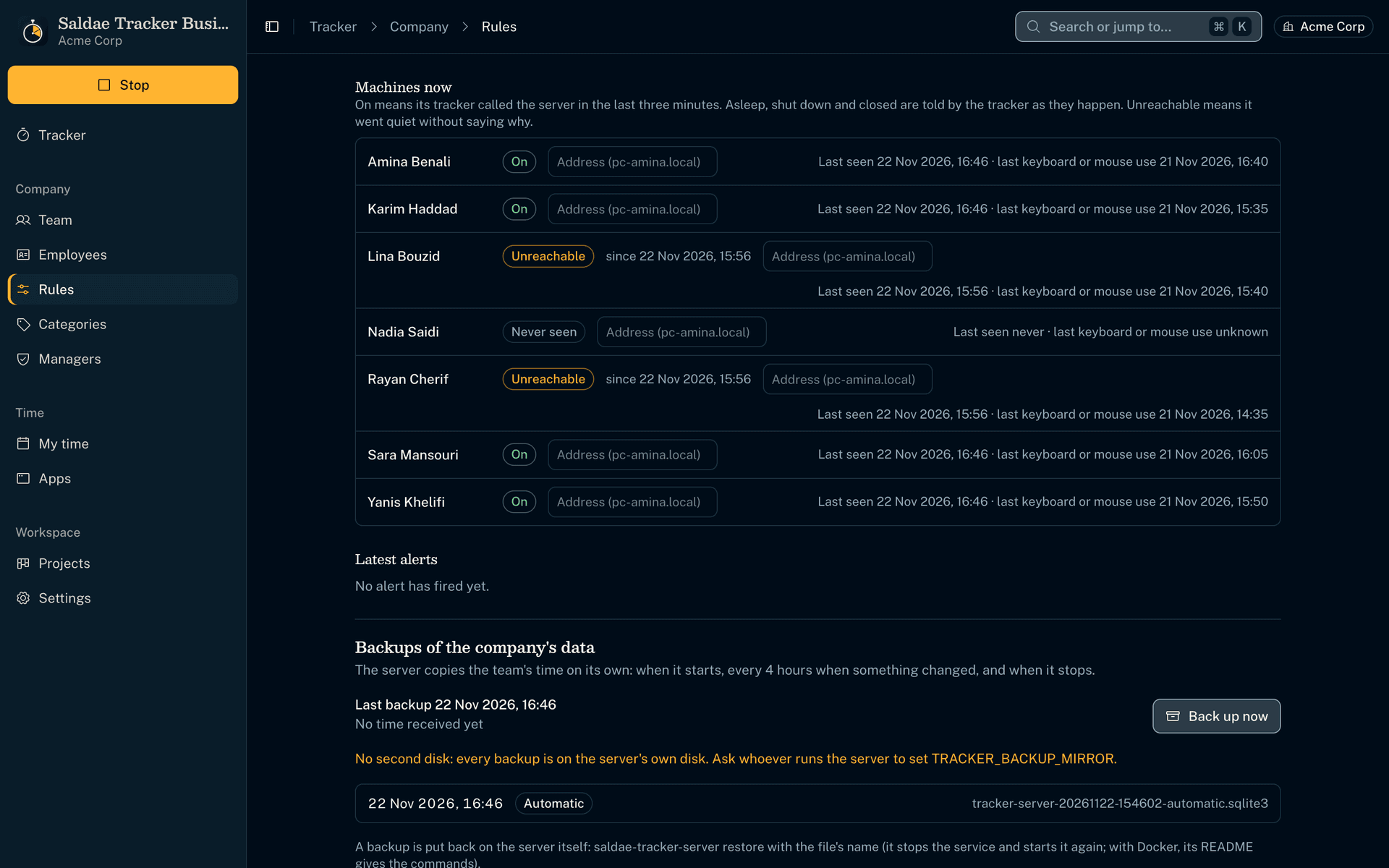
Each computer, on or off
- Each computer reads as on, locked, asleep, shut down or unreachable, with its last keyboard or mouse use.
- With its address on the network, a computer whose tracker is closed but that still answers is shown as on.
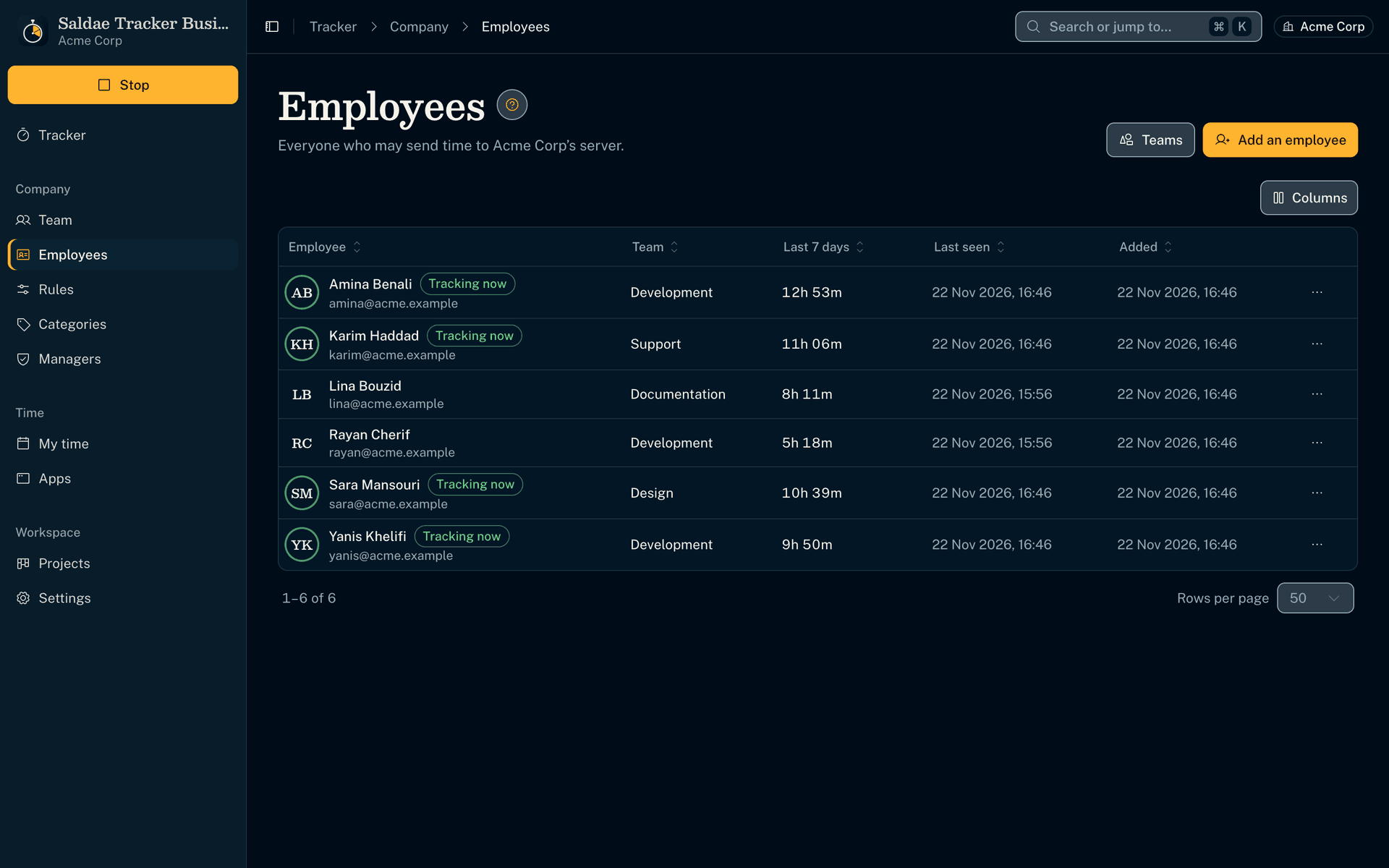
Your employees, managed from the app
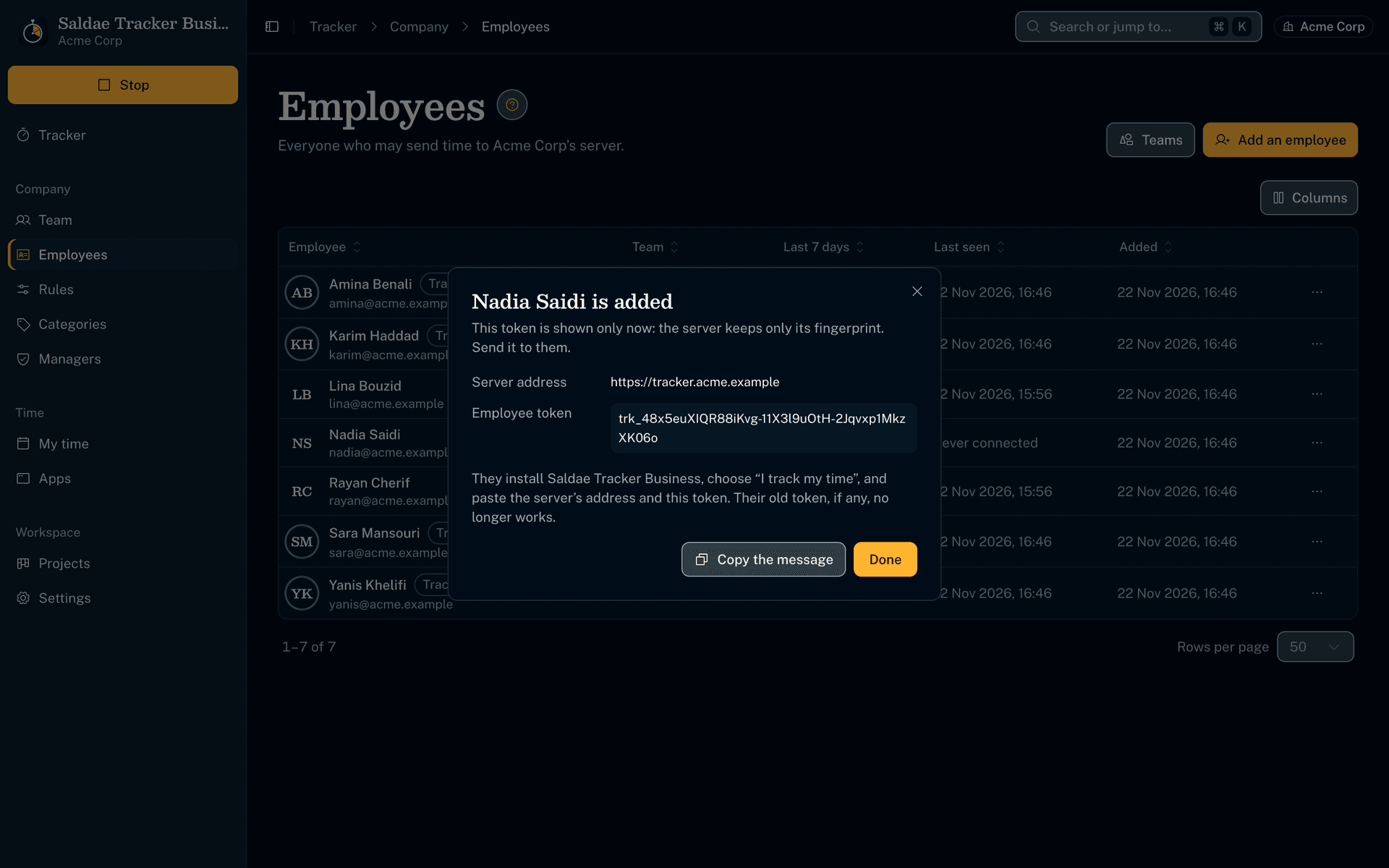
- Add an employee, give them a new token or revoke them, without a command line.
A message ready to send
- The connection token shows only once, with the server's address, in a message to copy for the employee.
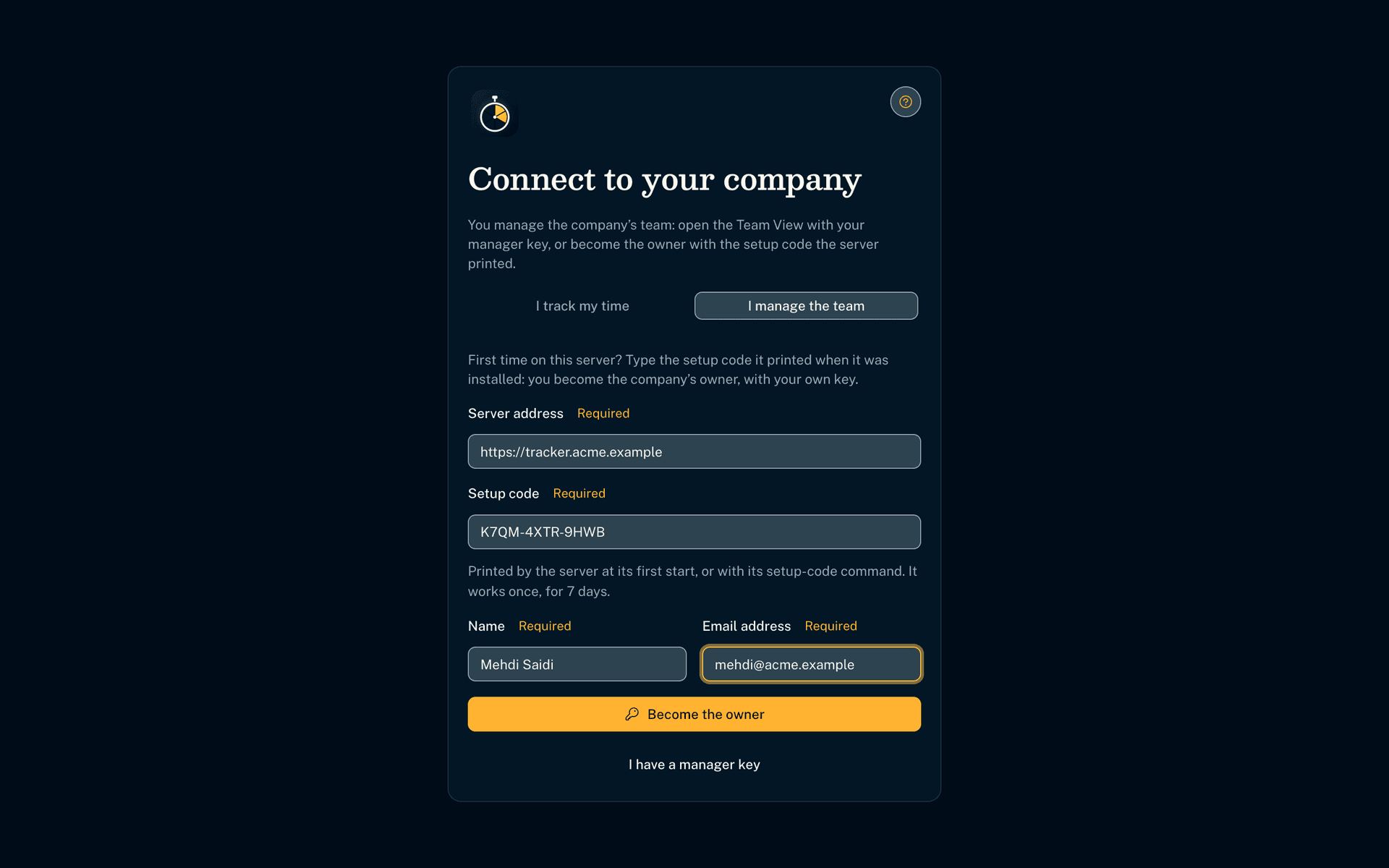
You become the owner with a code
- After the installation you receive a setup code. Typed once in your tracker, it gives you your own owner key.
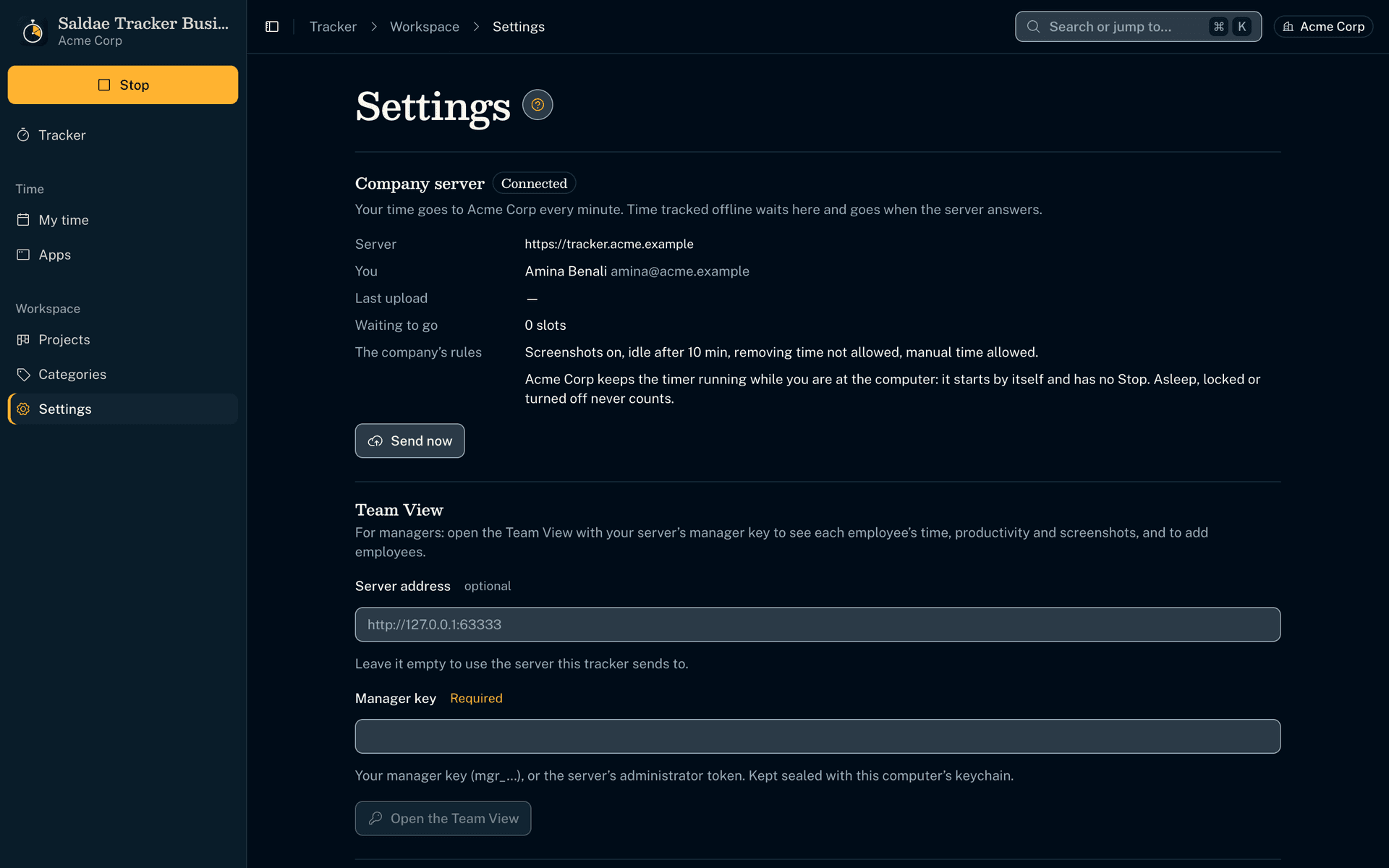
You set the rules
- You decide on screenshots, idle time, tracked apps, and whether time can be removed or added by hand.
- A change reaches every computer within a minute.
- The server checks every upload, and an upload repeated after a dropped connection never counts twice.
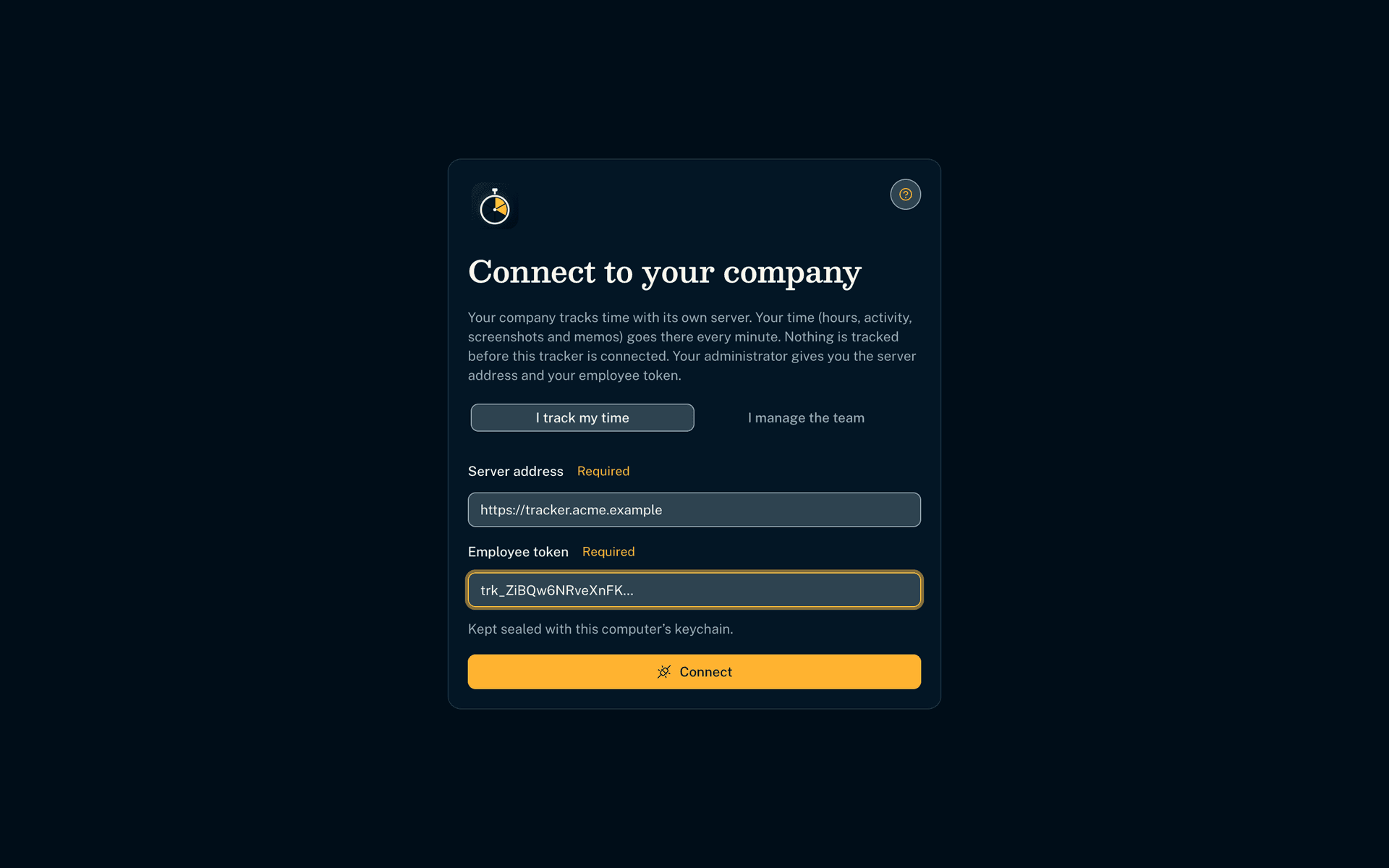
The Business edition, on your company's own server
- The Business edition tracks nothing until it is connected to your company's server.
- The server is installed on your own machine or infrastructure, as a Windows, macOS or Linux service (Docker optional). Your employees connect to it with a token, a connection code you give them.
- The diary goes up every minute. Time tracked offline is sent later and is never lost.
How productivity is measured
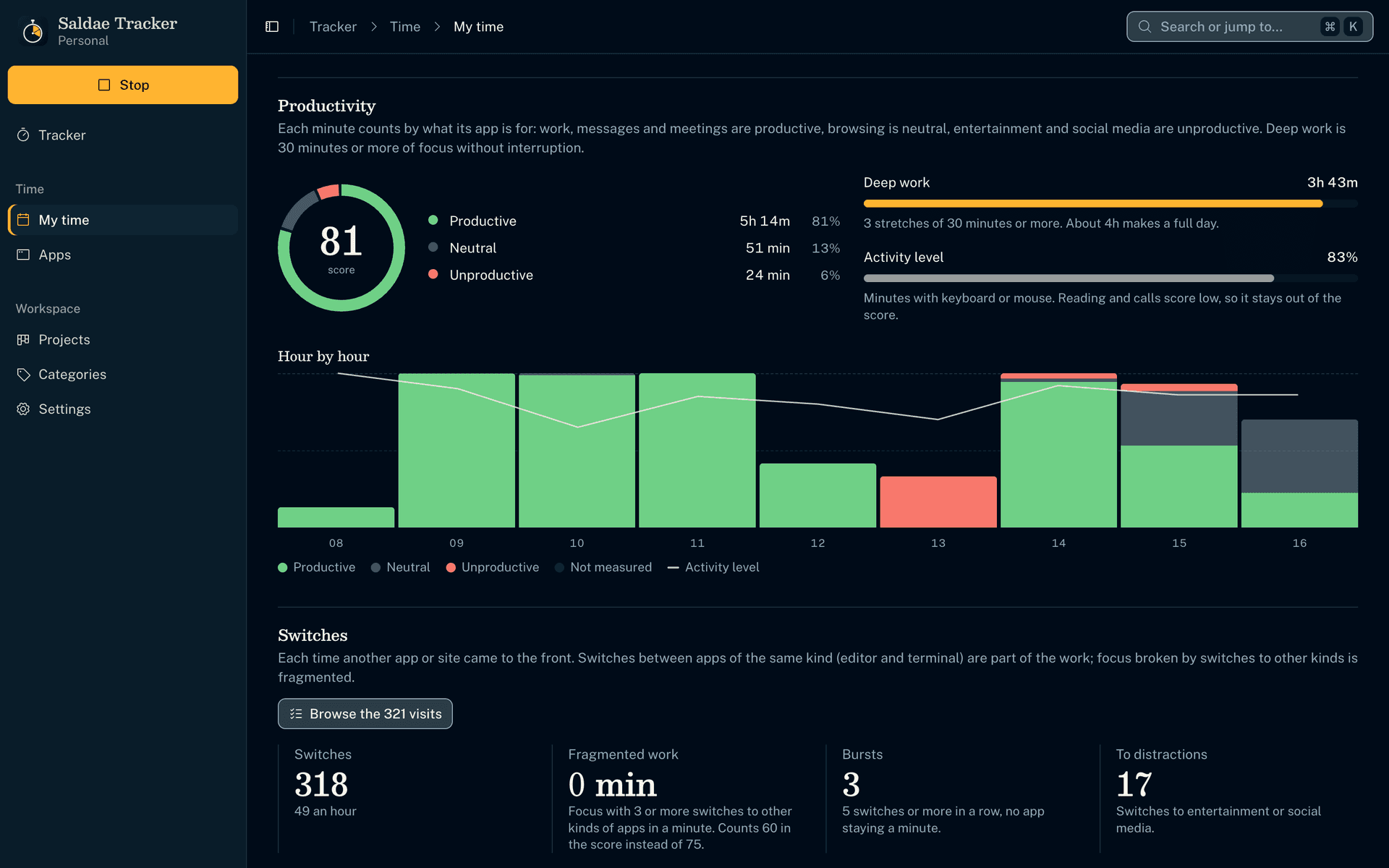
The rules are written down and the same for everyone. They follow the methods published by RescueTime, Hubstaff and ActivTrak, and Gloria Mark's research on attention at work.
- 1
By what each app is for
Work, messages and meetings are productive. Browsing is neutral. Entertainment and social media are unproductive. You correct the category of an app or a site for the whole company or for one team, and each team is measured by its own trade.
- 2
Deep work counts the most
30 minutes or more of focus without interruption. In the score out of 100, it is worth 100, other work 75, fragmented work 60, neutral 50 and distractions 0.
- 3
Switches between apps
Going from the editor to the terminal is still work. Focus cut three times or more in a minute by other kinds of apps becomes fragmented work. Every switch can be browsed, to the second.
- 4
A pause without the keyboard is not a fault
Reading, a call or thinking for five minutes or more without keyboard or mouse is not measured. The activity level shows beside the score, never inside it.
Fair to your employees
- Each employee sees the same figures in their own tracker: their score, their categories, their screenshots
- Never keystrokes or what is typed, only whether the keyboard or mouse were used
- Screenshots sharp, blurred or off, window titles or names only: one rule for everyone, chosen by you
- The Team View puts deep work forward, not a ranking by activity
- Each manager sees their own teams only, and screenshots only if you grant it; the access log says who read what
- Each employee's connection screen says what the tracker records
Business edition
50 000 DA once, for the server and 4 computers
- A full 14-day trial with your team
- The licence for the server and 4 computers, for life
- Each computer more at 10,000 DA once, 8,000 DA from the 16th computer
- The app for every computer, macOS or Windows
- One year of updates, to download
- Installation on your side by Saldae Dev and technical help, on a quote
Saldae Tracker Business price by number of computers
Enter the number of computers to equip. The licence price shows, in dinars, paid once.
- Server and 4 computers
- 50 000 DA
- 6 more computers at 10 000 DA
- 60 000 DA
- Licence for 10 computers
- 110 000 DA
The licence is for life, with one year of updates. Installation on your side and technical help are on a quote.
Ask for this quote on WhatsApp| Computers | Licence price, once |
|---|---|
| 4 | 50 000 DA |
| 10 | 110 000 DA |
| 15 | 160 000 DA |
| 25 | 240 000 DA |
| 50 | 440 000 DA |
One edition for yourself, one for the team
Personal or Business
| Feature | Personal edition | Business edition |
|---|---|---|
| Timer, 10-minute Work Diary, screenshots | ||
| Productivity, deep work, switches between apps | ||
| Timesheet and earnings | ||
| Each employee's day, with their screenshots | ||
| Your rules for every computer, and what is productive set per team | ||
| Add and revoke employees | ||
| Teams, and a key per manager with their role | ||
| An access log | ||
| Email alerts and the state of each computer | ||
| Where the data is | Your computer | Your company's server |
| Price, once | 10 000 DA | 50 000 DA server and 4 computers |
The spec sheet, to keep or to pass on
Saldae Tracker Business as a PDF, with the screens, every feature, the editions and their prices, where your data is kept and what it runs on.
PDF, A4
For a quote for your number of computers or a 15-minute demo, message us on WhatsApp. Message us on WhatsApp
How to buy it
- 1
Message us on WhatsApp
Tell us how many employees you equip, on macOS or Windows, and where to install the server.
- 2
We install the server
On your local server or infrastructure, as a service. You receive a setup code: typed in your tracker, it makes you the owner.
- 3
You add your employees
From your tracker. Each one receives a message with the server's address and their token, and their time arrives every minute.
Questions
Yes. Each one sees in their tracker their score, deep work, switches and screenshots, as you see them. They do not see anyone else's.
No. With the manager key, your tracker can read the team only. You can also connect your own time with an employee token.
Yes, each with their own key. A viewer reads the team, a manager also adds and revokes employees, the owner manages everything. You choose each one's teams and whether they see screenshots. A key is revoked without touching the others.
Yes. From the Categories page, the owner picks the whole company or one team, then says for each app and each site which category it counts in. A marketing team can count social media as work, while it stays unproductive for the others. What a team leaves alone follows the company, and its score is worked out with its own choices.
Each measured second has a weight: deep work 100, other work 75, fragmented work 60, neutral 50, distractions 0. The score is the average of these weights over the measured time. Manual time and pauses without the keyboard stay out of it.
Yes, for every computer, from the Rules page of your tracker. Window titles can be turned off too: the tracker then keeps only the apps' names.
On the server installed in your company, on your local server or infrastructure. Productivity is calculated on your computer. Nothing goes through us.
110,000 DA for 10 computers, 240,000 DA for 25 and 440,000 DA for 50, paid once. The licence is 50,000 DA for the server and 4 computers, then 10,000 DA for each computer from the 5th to the 15th and 8,000 DA from the 16th. Installation on your side is on a quote.
As many as the computers under licence. The licence covers the server and 4 computers. Each computer more is 10,000 DA once, and 8,000 DA from the 16th computer. The server is light and installs as a Windows, macOS or Linux service.