
Launch price, 50% off until 31 December 2026
Saldae Tracker, the time tracker that tells you about your day
Press Start: every 10 minutes go into your Work Diary with a screenshot, your activity and the apps you used. Choose the project now or later.
Who it is for
Freelancers and independents
Developers, designers, writers, translators: each client's time counted without effort, the week turned into earnings at your hourly rate, and a timesheet to send.
Students and anyone who wants to focus
Your day told back: your longest focus, your most active hour, the time that went to social media. See where the time goes, without writing anything down.
Personal edition
10 000 DA once, for life
instead of 20 000 DA
- A licence for one computer, for life
- macOS or Windows
- One year of updates
- Support on WhatsApp
- Your data on your computer, in the folder you choose
For a team: installed on your own server
The Business edition installs on your employees' computers and sends their diary to a server installed on your local server or infrastructure. Your team's time and screenshots stay with you.
- Your rules for everyone: screenshots, idle time, tracked apps, manual time, removing time
- An employee connects with a token; nothing is tracked before
- The diary goes up every minute; offline, nothing is lost
- As many employees as your server can carry
Business edition
150 000 DA once, installed on your side
- The server installed on your local server or infrastructure
- The app for every computer, macOS or Windows
- As many employees as your server can carry
- One year of updates
- Support on WhatsApp
What Saldae Tracker does
The day, told
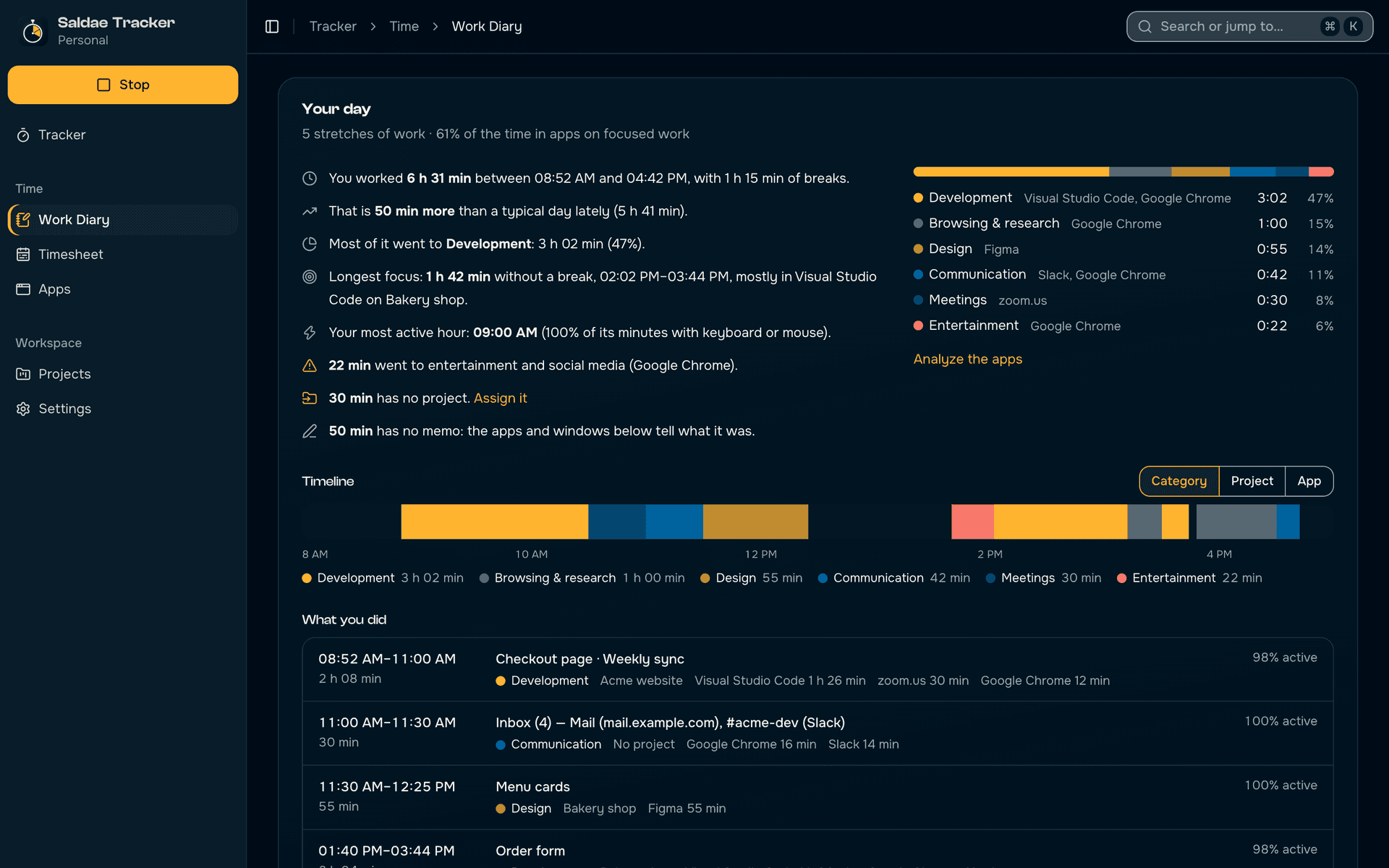
- Insights derived on the computer, by rules: hours and breaks, the longest focus, the most active hour, distractions, how the day compares with a typical one.
- Every app and browser tab falls into a category (development, design, meetings, entertainment…): by name, by site, else by title.
- The share of each category, and a link to analyze the apps.
What you did, without writing it down
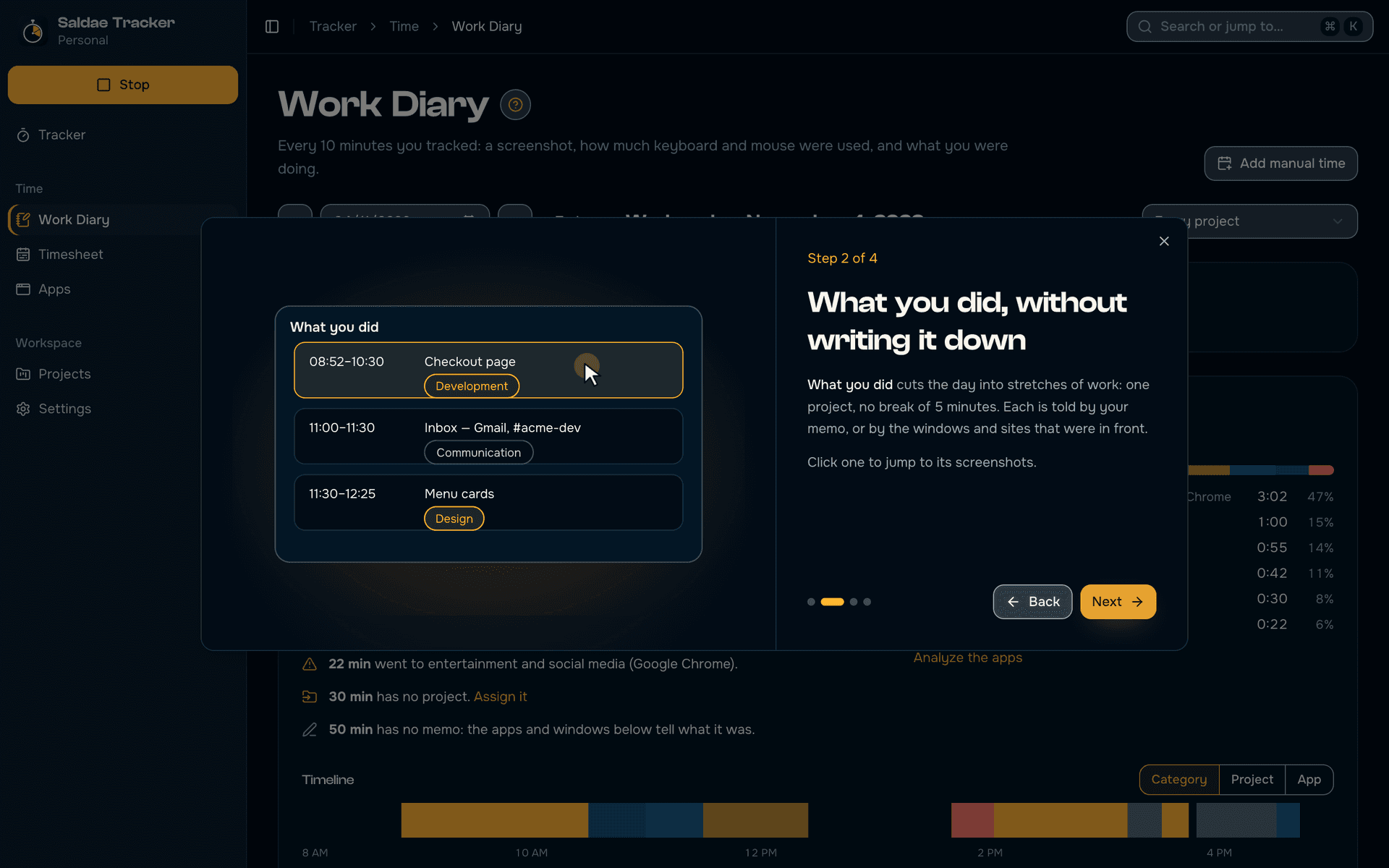
- A timeline of the day, coloured by category, project or app; gaps are breaks.
- Stretches of work (one project, no five-minute break) told by their memo, or by the windows and sites that were in front.
- Each stretch shows its apps and how active it was; a click jumps to its screenshots.
A Work Diary of 10-minute slots
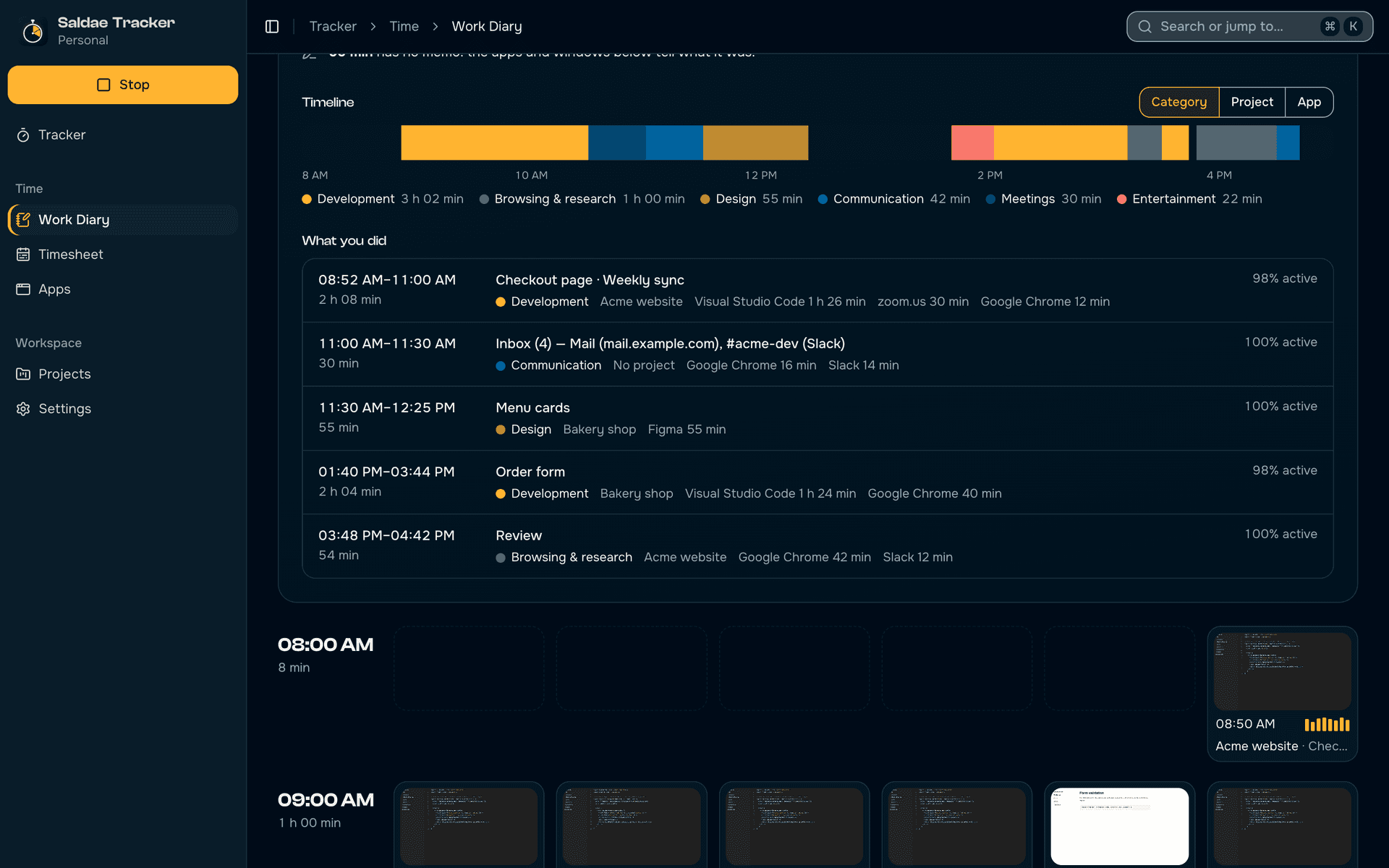
- Each slot holds one screenshot taken at a random moment, the memo and ten activity bars.
- Each bar is a minute, as tall as its share of keyboard or mouse input, read every 5 seconds from the system's idle time; never keystrokes.
- Idle time is set aside for the user to keep or discard; manual time goes only where nothing was tracked.
A slot, opened
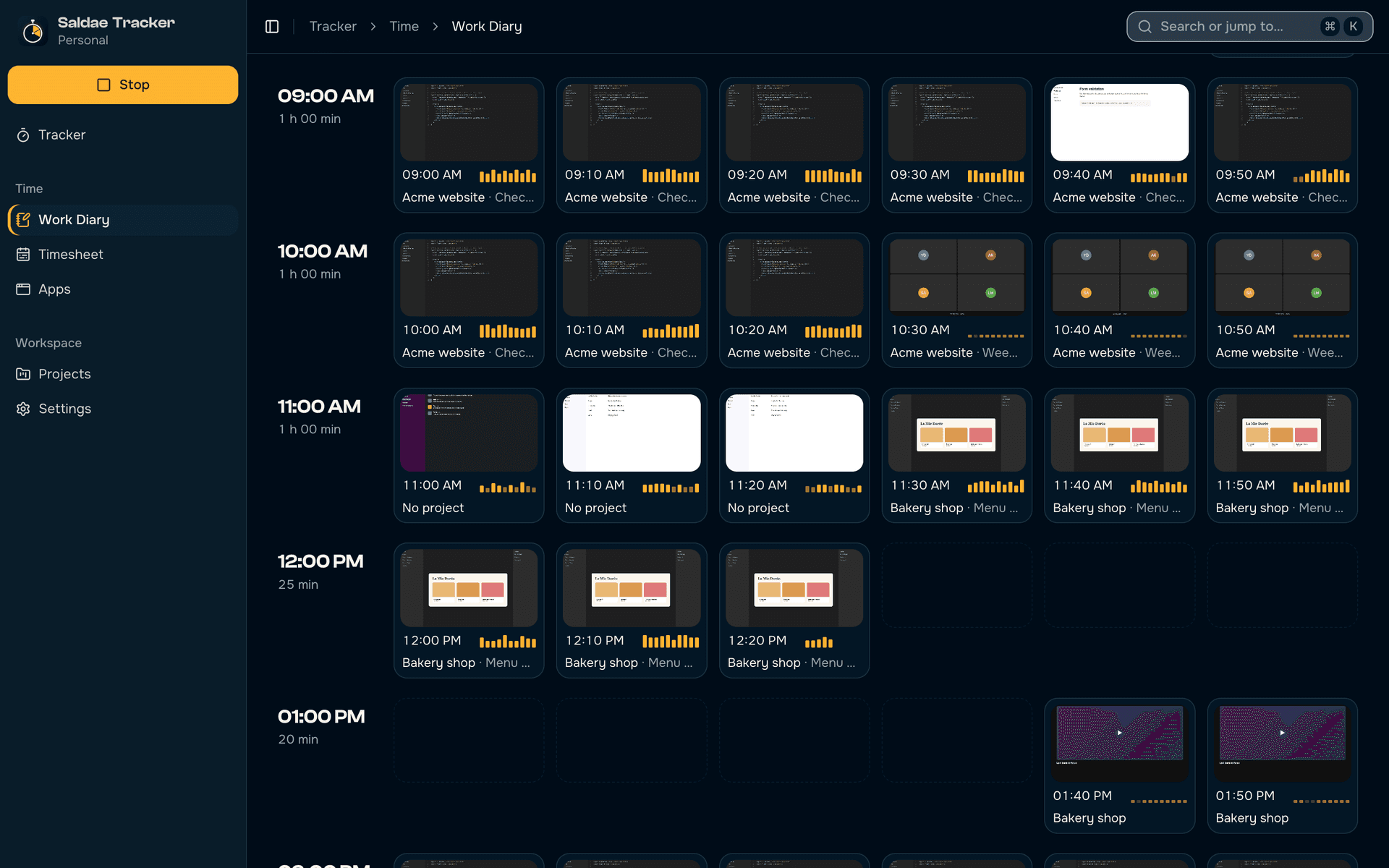
- The screenshot in full, the minutes with input, the share of time with input, and the apps and windows in front.
- Screenshots can be on, blurred beyond reading, or off; they reach the screens through a custom protocol only.
- Slots can be assigned to a project, given a memo, or deleted with their screenshot.
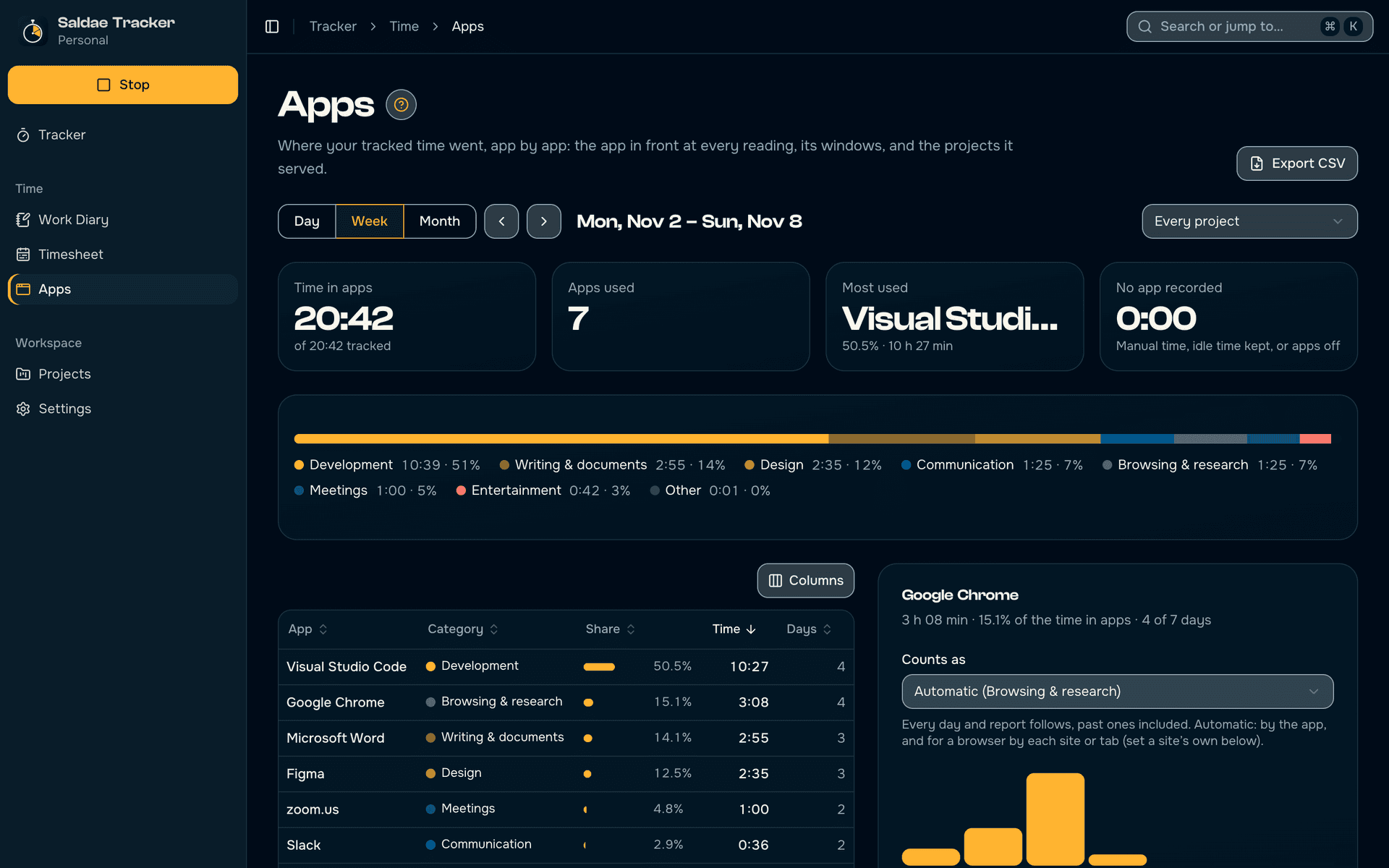
Where the time went, app by app
- A day, a week or a month app by app, with each one's share, days used and category, filtered by project.
- The categories' shares in one bar; the report exports as CSV.
- The app in front comes from the get-windows package (no native code of ours), on macOS and Windows.
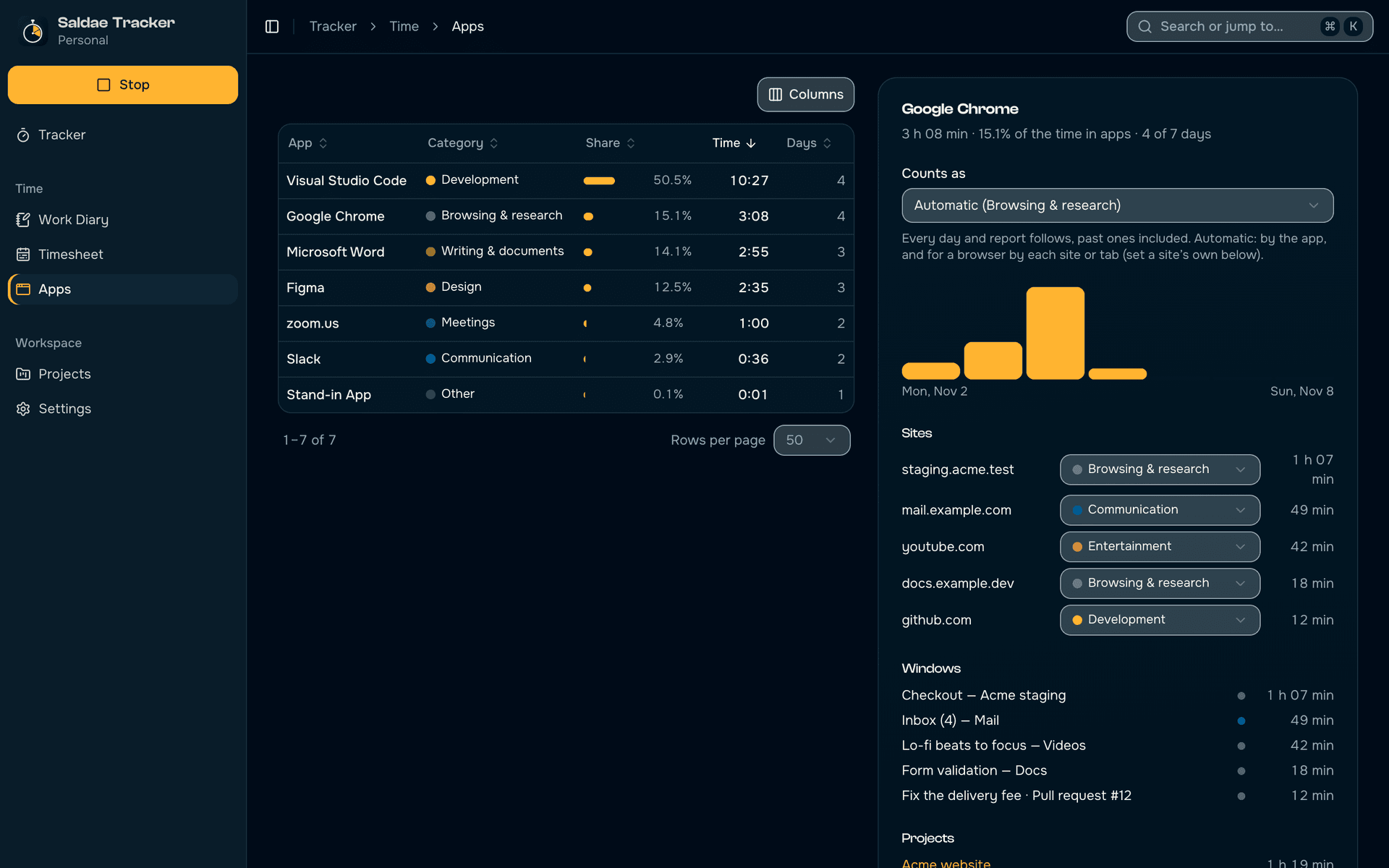
Sites, windows, and what they count as
- A browser's time splits by site (the domain of the tab in front, on macOS) and by window title.
- The user corrects what an app or a site counts as, and every day follows, past ones included.
- Each window and project the app served, with its time.
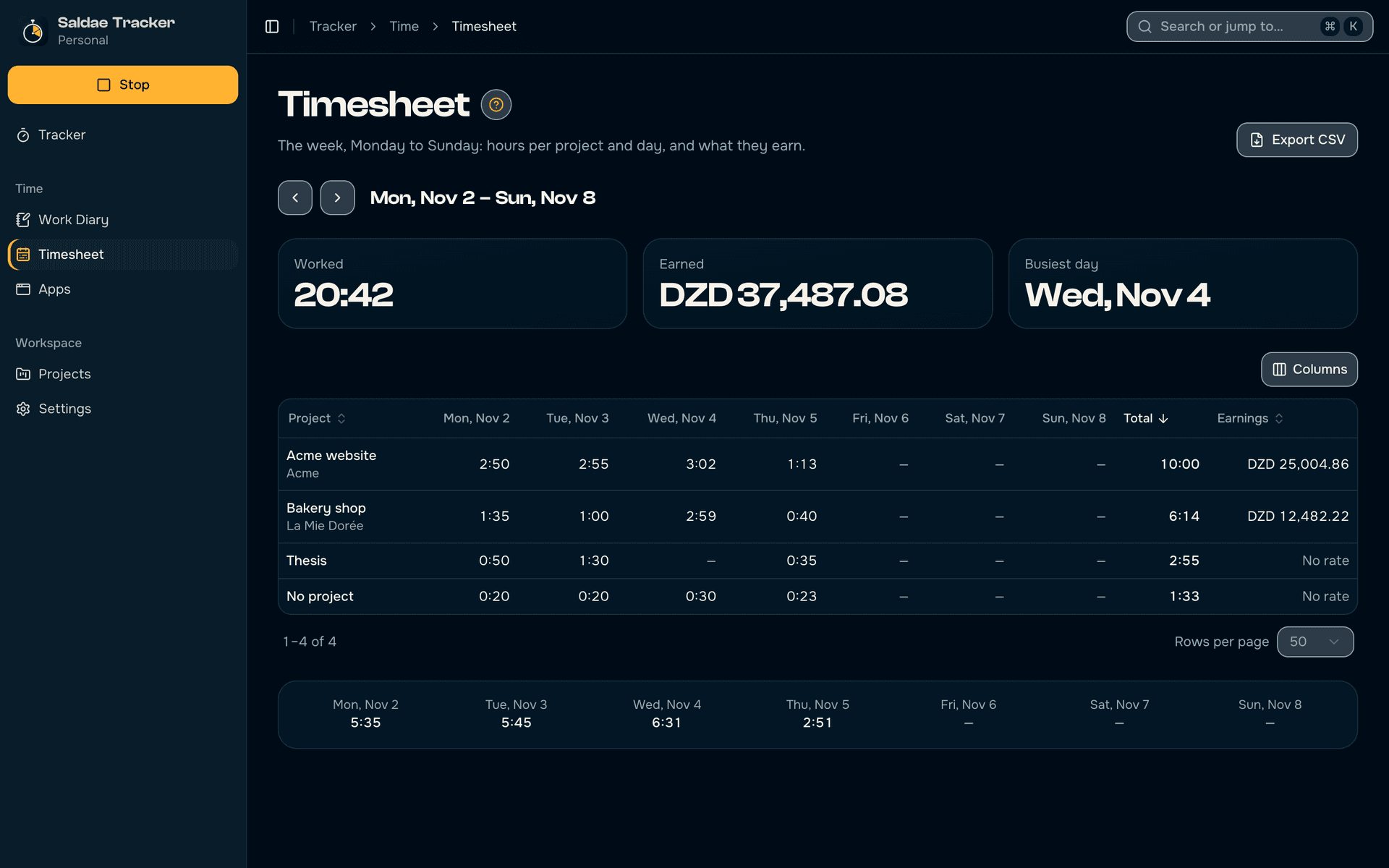
A Timesheet that earns
- The week's hours per project and day, with each project's hourly rate turned into earnings, one total per currency.
- Time without a project has its own row until it is assigned.
- Exported as a CSV for a client or an accountant.
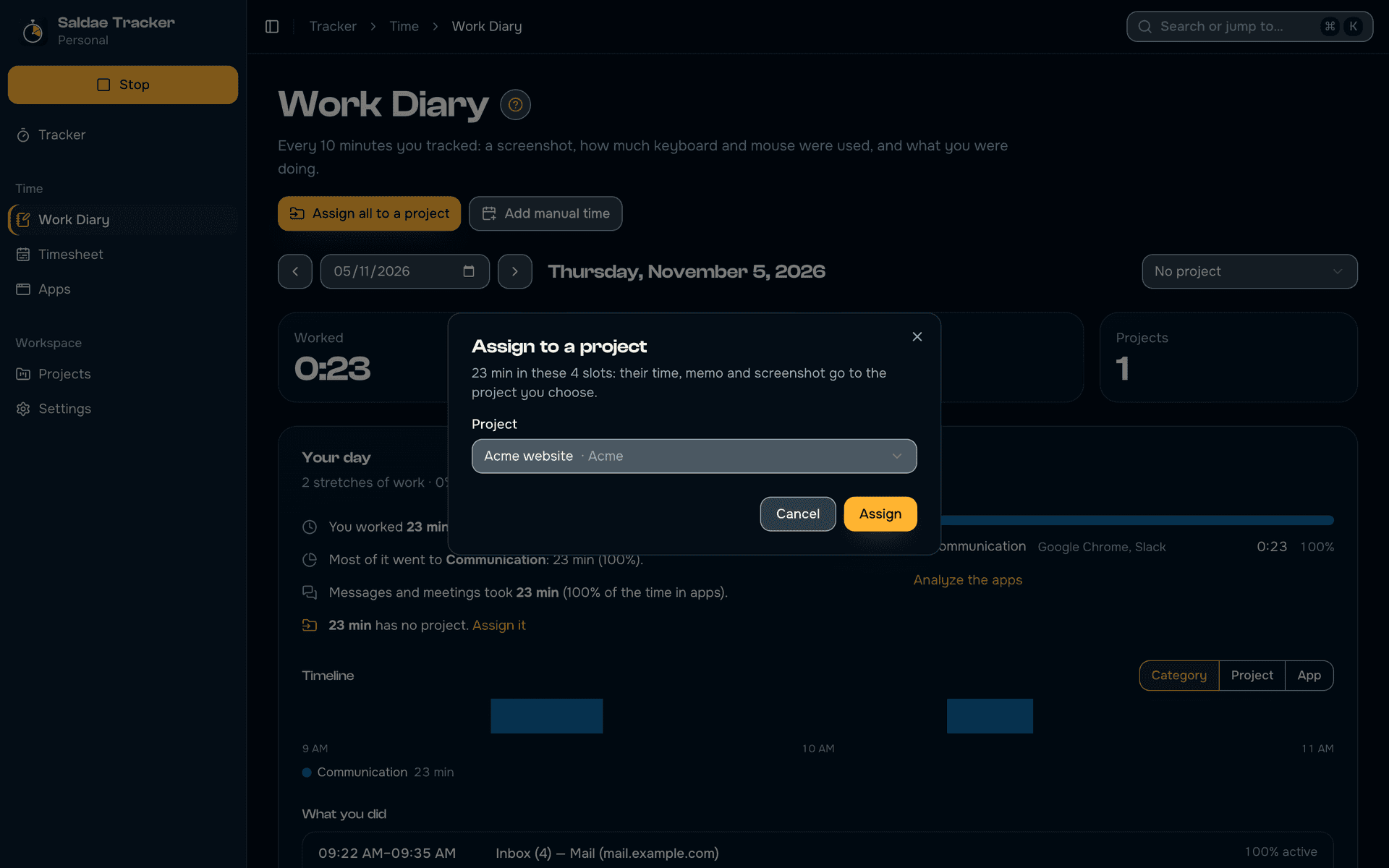
Assign the time afterwards
- The No project filter gathers the day's unassigned time; Assign all gives it a project in two clicks.
- A slot hands its minutes, memo and screenshot to the target project's slot of the same ten minutes.
- A project can be made on the spot from every project list.
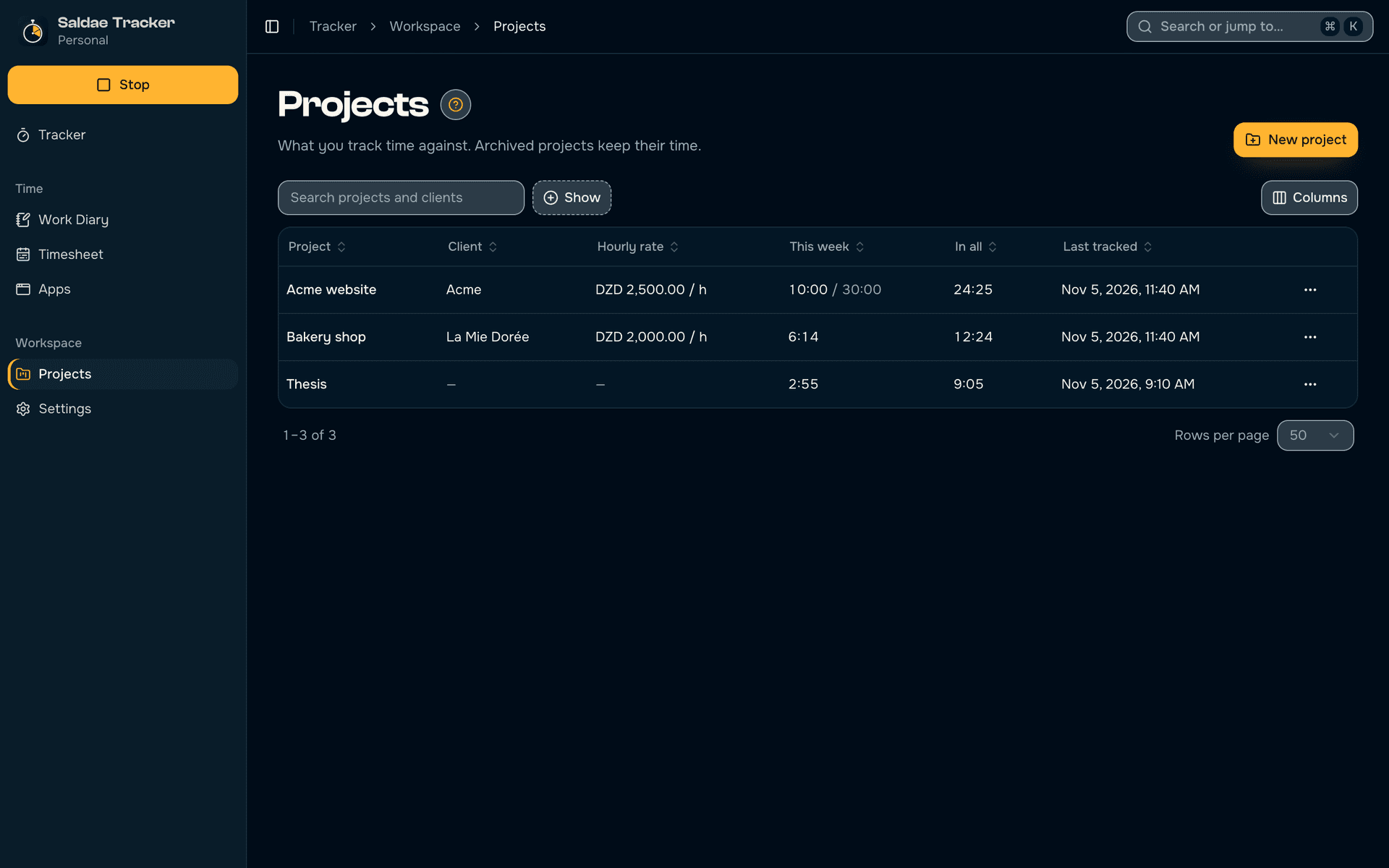
Projects, optional
- Each project with its client, hourly rate and optional weekly limit, which stops the timer when reached.
- Archived projects keep their time out of the way.
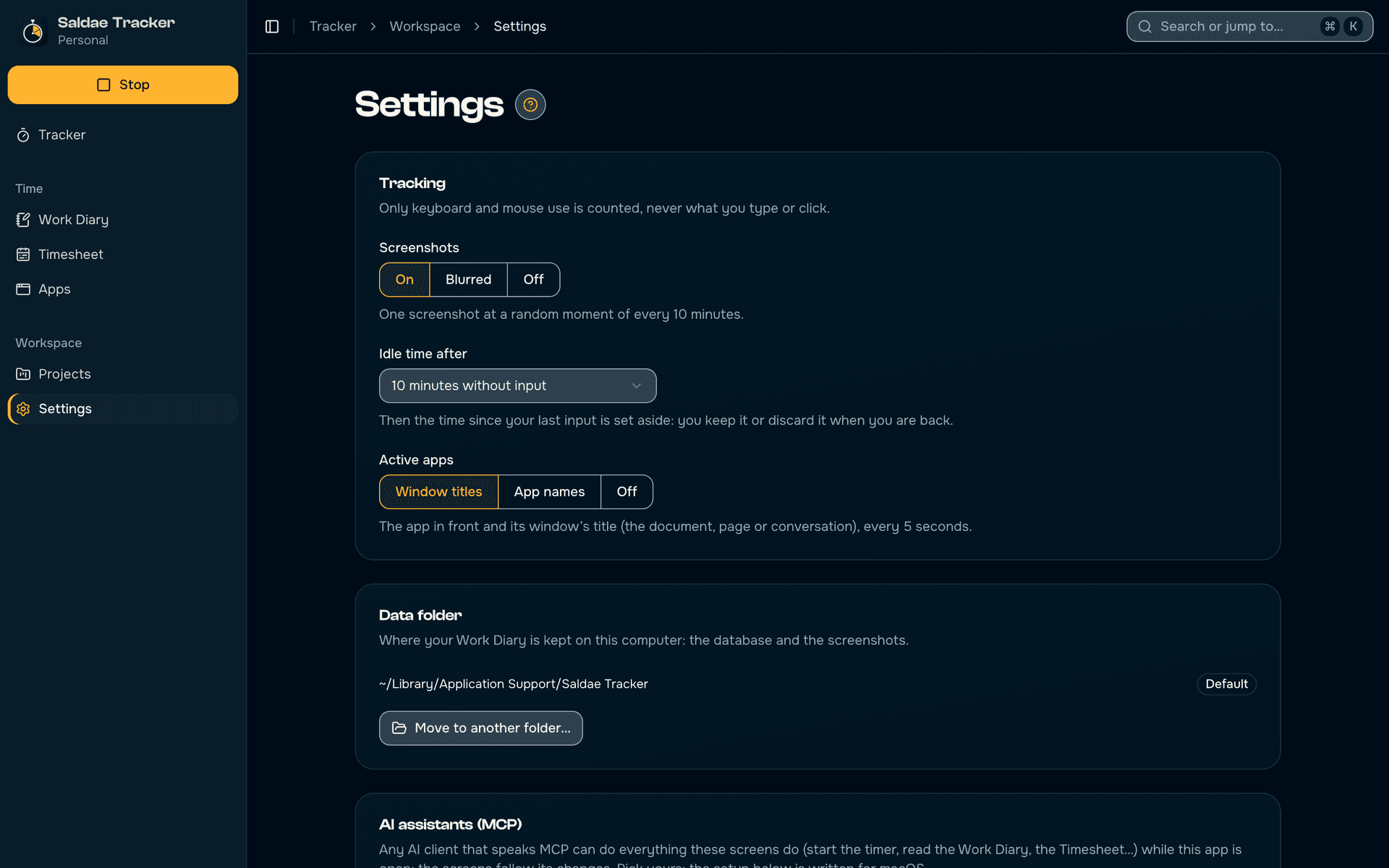
What is recorded is the user's choice
- Screenshots on, blurred or off; idle time after a chosen delay; the app in front with its window title, its name only, or off.
- macOS permissions are asked from Settings only, never by surprise.
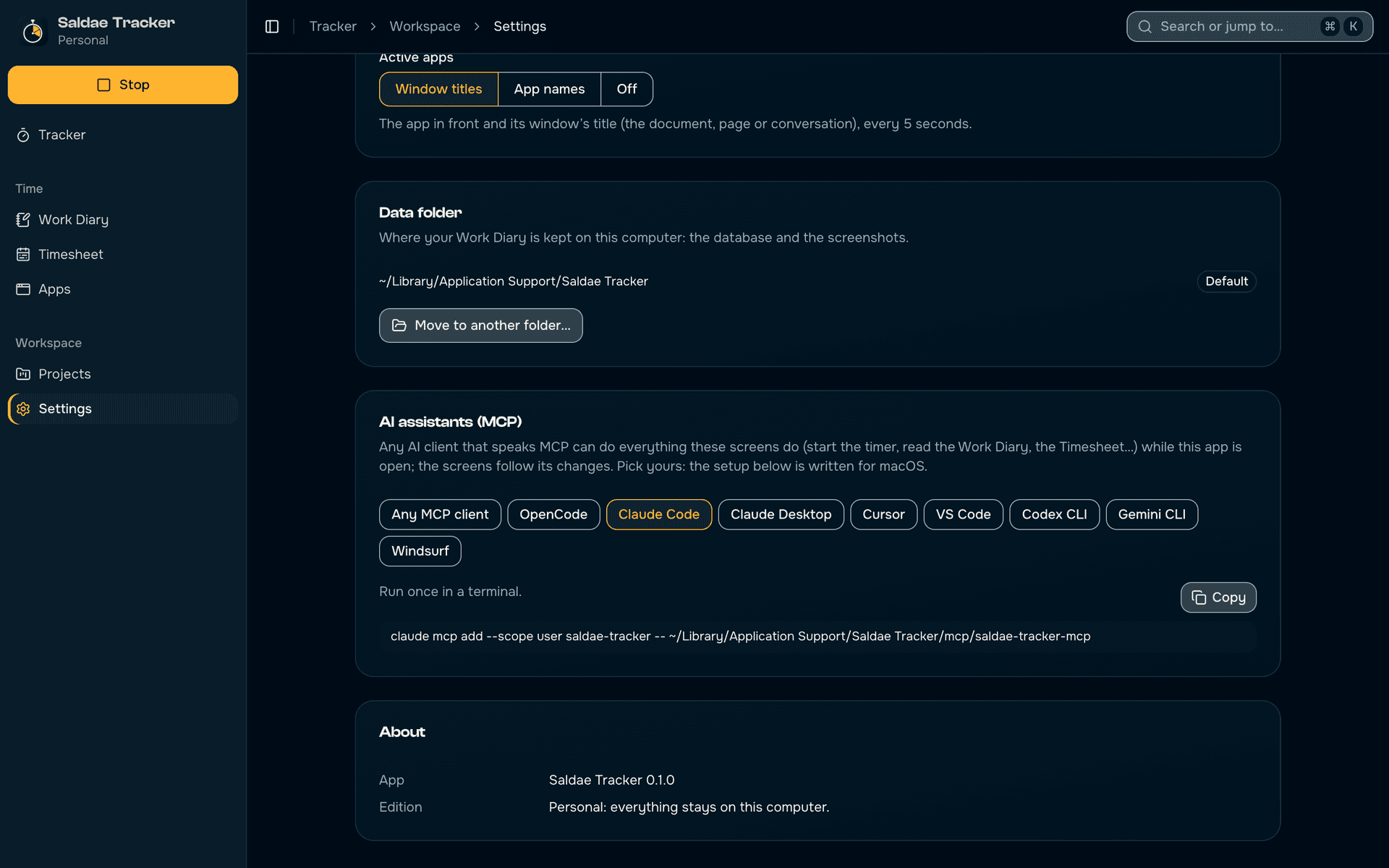
Your data where you want it; any AI client can drive it
- The data folder moves anywhere (another drive, a synced folder); the app restarts on the copy and deletes the old one only once it opened.
- 37 MCP tools cover every screen action, so OpenCode, Claude, Cursor or Codex can start the timer, read the day and assign time.
A guide on every screen
- Each screen has a "?" walkthrough with code-drawn scenes; empty screens draw what will appear there.
- The whole app wears the Saldae Dev design system, the same as the Outreach CRM, the Saldae Dev site and sidaliassoul.com.
A Business edition, on the company's own server
- The same codebase builds a Business edition; it tracks nothing until connected to the company's server.
- The server (Hono, SQLite, Docker image) runs on the company's own machine or infrastructure; employees connect with a token.
- The diary uploads every minute; time tracked offline waits and is never lost.
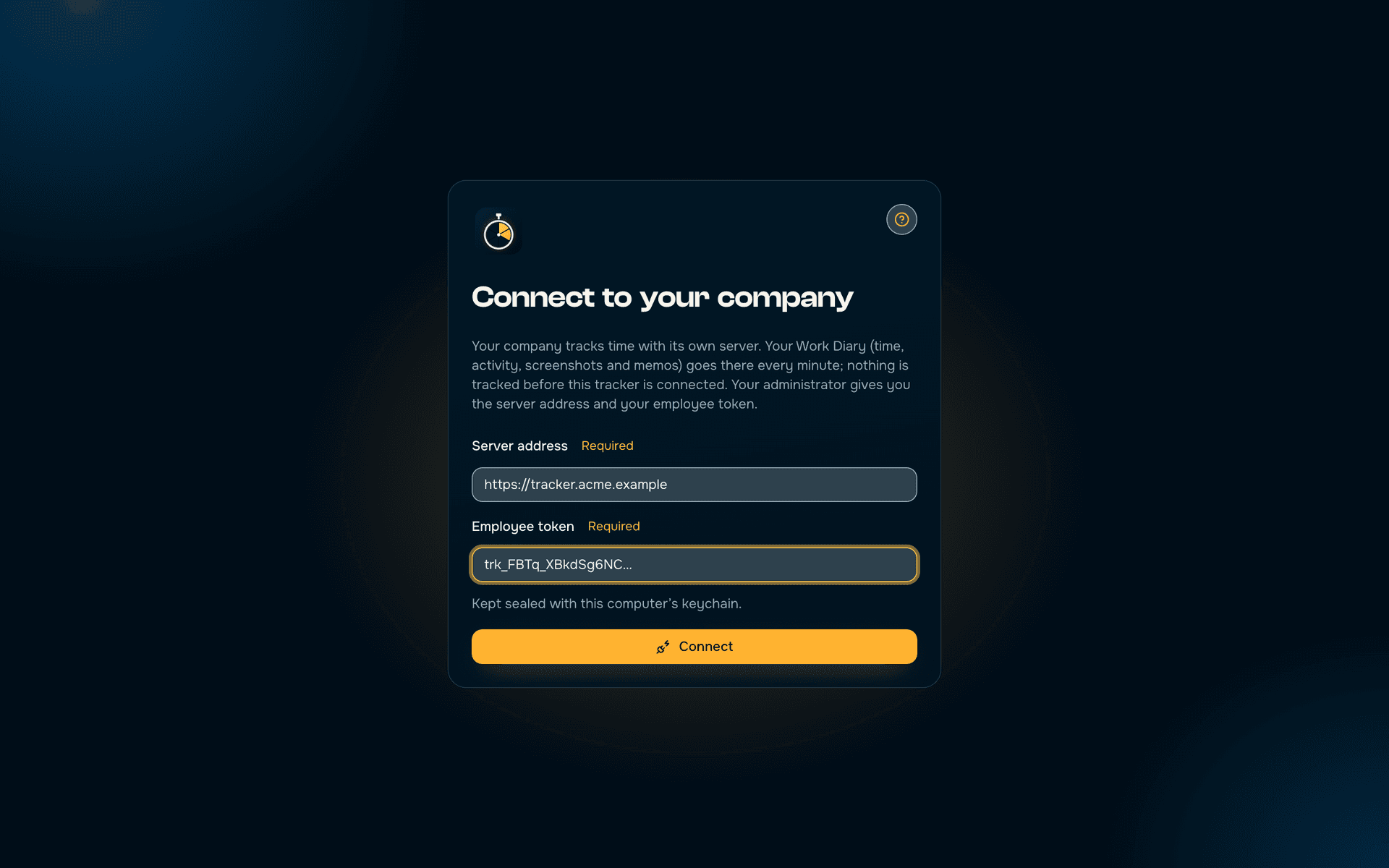
The company sets the rules
- The company's policy decides screenshots, idle time, active apps, and whether time can be removed or added by hand.
- The policy comes back with every answer, so a change reaches every tracker within a minute.
- Uploads are idempotent by revision over a published, Zod-validated contract.
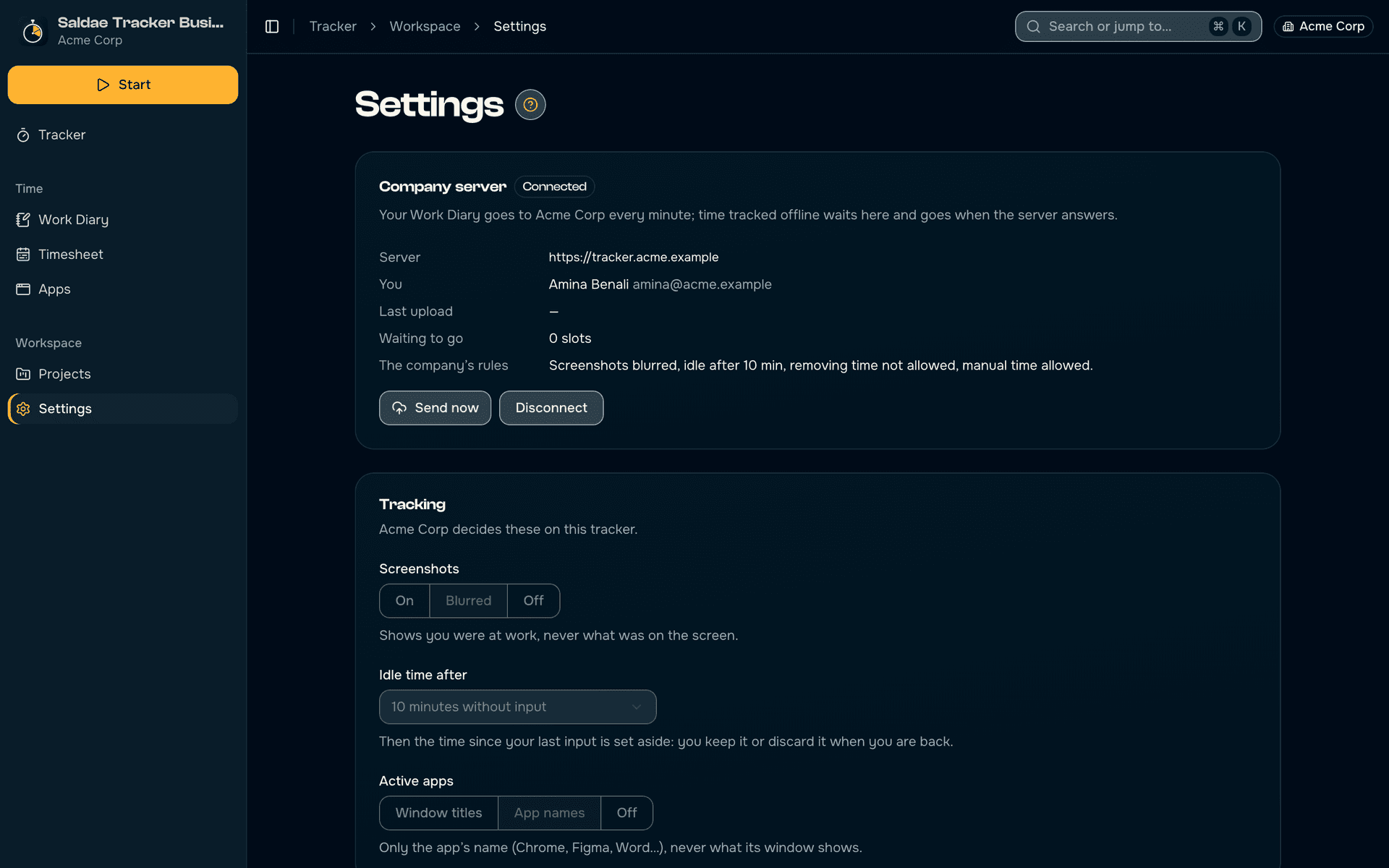
Every feature
Timer
- Start in one click, no project or setup first
- A project chosen during the session takes the time already tracked, or starts from now on
- A memo of what you do, kept with the time
- S to start or stop, from any screen
- The timer in the menu bar, with the window closed
- A weekly limit per project that stops the timer
Work Diary
- Every 10 minutes with a screenshot taken at random
- Ten activity bars: each minute as tall as its time on keyboard or mouse
- Never keystrokes, never what is typed
- Idle time set aside: keep it or discard it when you are back
- Manual time for calls and meetings
- Assign, describe or delete slots in bulk
Your day
- Hours, start, end and breaks
- Your longest focus and most active hour
- The time on social media and entertainment
- How the day compares with a typical one
- A timeline coloured by category, project or app
- What you did, told by your memos or your windows
Apps and sites
- The app in front and its window title
- The site of the open tab (on macOS)
- Instagram, TikTok, Facebook and the rest recognised as social media, as apps or as sites
- Each app in a category you can correct
- A day, a week or a month analysed, exported as CSV
Projects and timesheet
- Optional projects, with client, hourly rate and limit
- The week by project and day
- Earnings at each project's rate, per currency
- Time without a project assigned afterwards
- CSV export for a client or an accountant
Privacy and data
- Screenshots on, blurred or off
- Window titles, app names only, or nothing
- Everything stays on your computer; nothing goes through us
- The data folder moved wherever you want
- macOS permissions asked from Settings only
Workspace
- An illustrated guide on every screen
- Search or jump anywhere with ⌘K
- AI assistants (OpenCode, Claude, Cursor, Codex…) drive the timer and read your day through MCP
- macOS and Windows
How to buy it
- 1
Message us on WhatsApp
Tell us whether you are on macOS or Windows, alone or a team.
- 2
Pay
By CCP, BaridiMob, bank transfer with an invoice, or cash in Algiers.
- 3
Install
You receive the installer; for a team, we install the server on your machine or infrastructure. A guide on every screen, and we answer on WhatsApp.
Questions
10 000 DA, paid once, for one computer and for life, with one year of updates and support on WhatsApp. The Business edition, for a team, is 150,000 DA once, with the server installed on your side.
No. It only notes whether the keyboard or mouse were used, and which app was in front. Screenshots can be blurred or turned off, and so can window titles.
No. Start, and the time counts right away. Give it a project during the session or later in the diary; it takes its screenshots and activity with it.
Personal edition: on your computer, in the folder you choose. Business edition: on the server installed in your company, on your local server or infrastructure. Nothing goes through us.
As many as your server can carry: there is no per-seat limit. The server is light (a Docker image, or Node and SQLite) and runs on a modest local server or a machine of your infrastructure.
The app keeps working, for life. The first year includes the updates.