
Launch price, 50% off until 31 December 2026
Outreach CRM, the software that writes to your prospects and reads their replies
Personalized email campaigns sent from your own mailbox, and an AI that tells you who is interested. On your computer, macOS or Windows.
Who it is for
Businesses looking for clients
Agencies, service providers, suppliers, training centres: write to dozens of companies from your own address, no spreadsheet, and see at once who replied, who is interested and who to answer.
People looking for a job
Send your applications as a campaign with your CV attached, follow every reply, and let the extension fill application forms from your profile.
Outreach CRM licence
25 000 DA once, for life
instead of 50 000 DA
- A licence for one computer, for life
- macOS or Windows
- One year of updates
- Support on WhatsApp
- The browser extension that fills forms
- A free AI on the computer (Laya), or Jev with your OpenRouter key
What Outreach CRM does
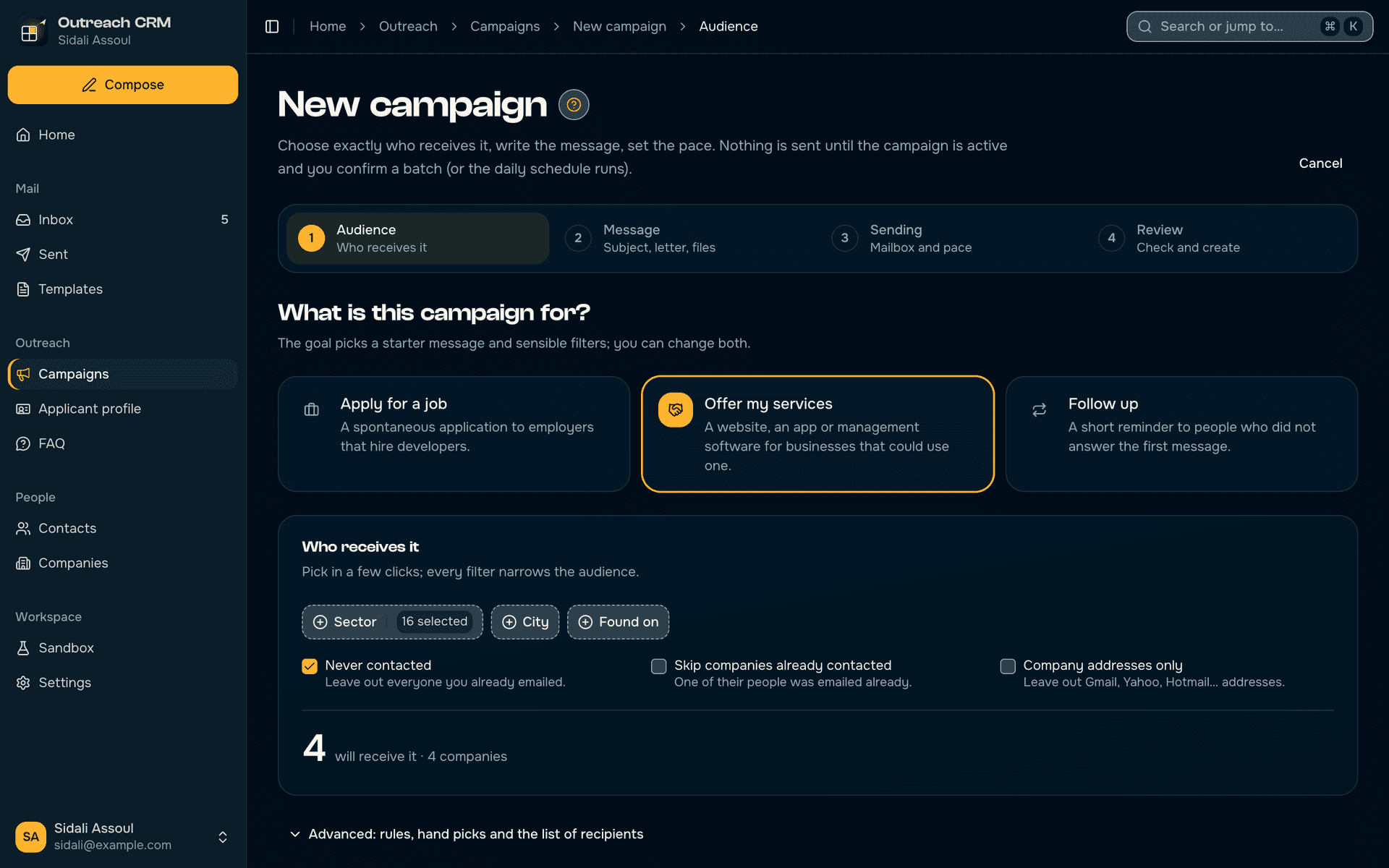
A campaign, set up step by step
- A checklist walks through the audience, the message, the mailbox and the schedule before anything leaves.
- The audience is a snapshot of the contacts at launch, so a later import never changes who was written to.
- Placeholders like {{Company Name}} are filled per recipient; any custom one is asked for before sending.
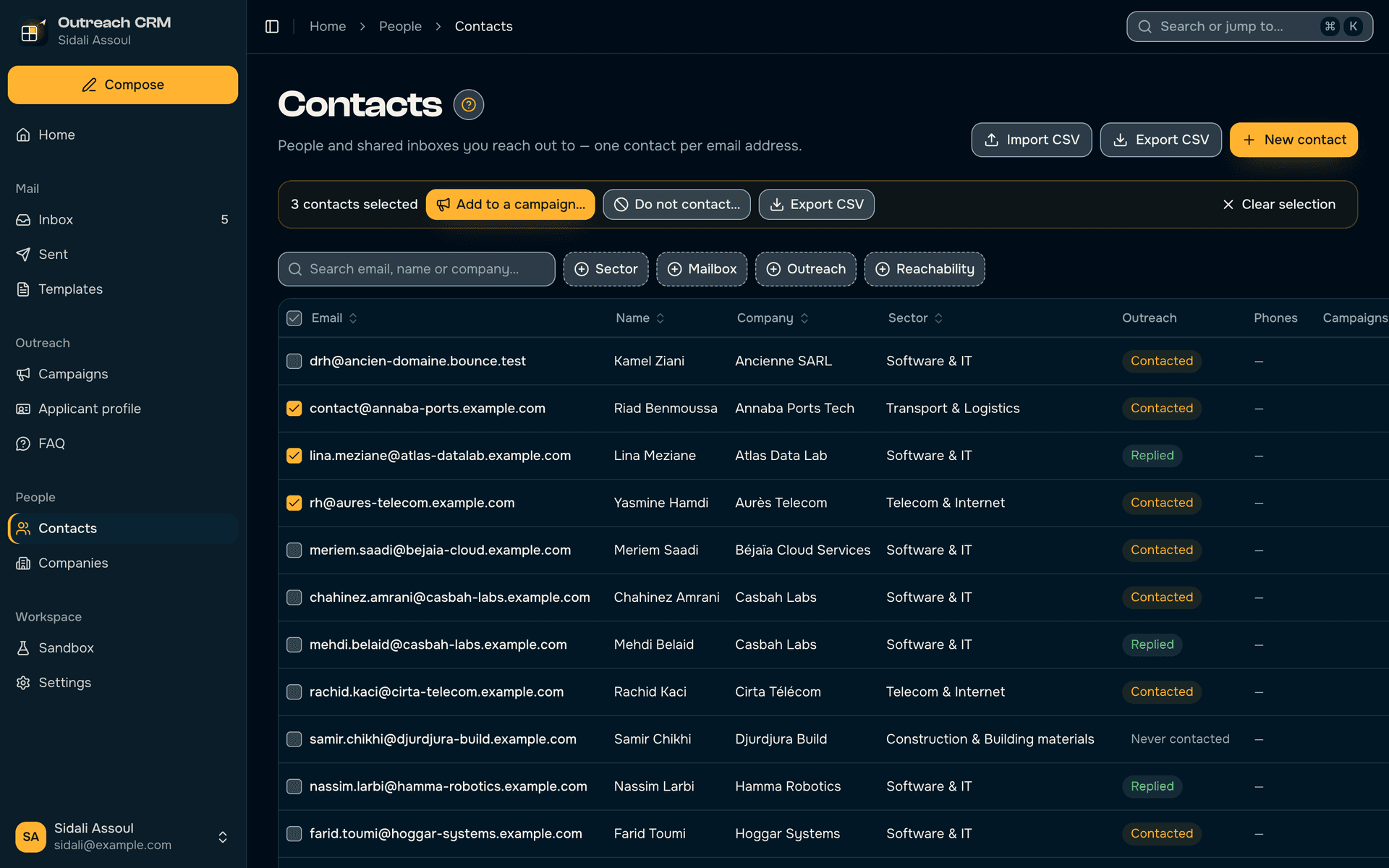
Contacts that stay clean
- A contact is its email address: CSV imports merge instead of duplicating.
- Every list is a table sorted and paged in the database, with search, faceted filters and bulk actions.
- Do-not-contact flags and the full timeline of each person travel with them into every campaign.
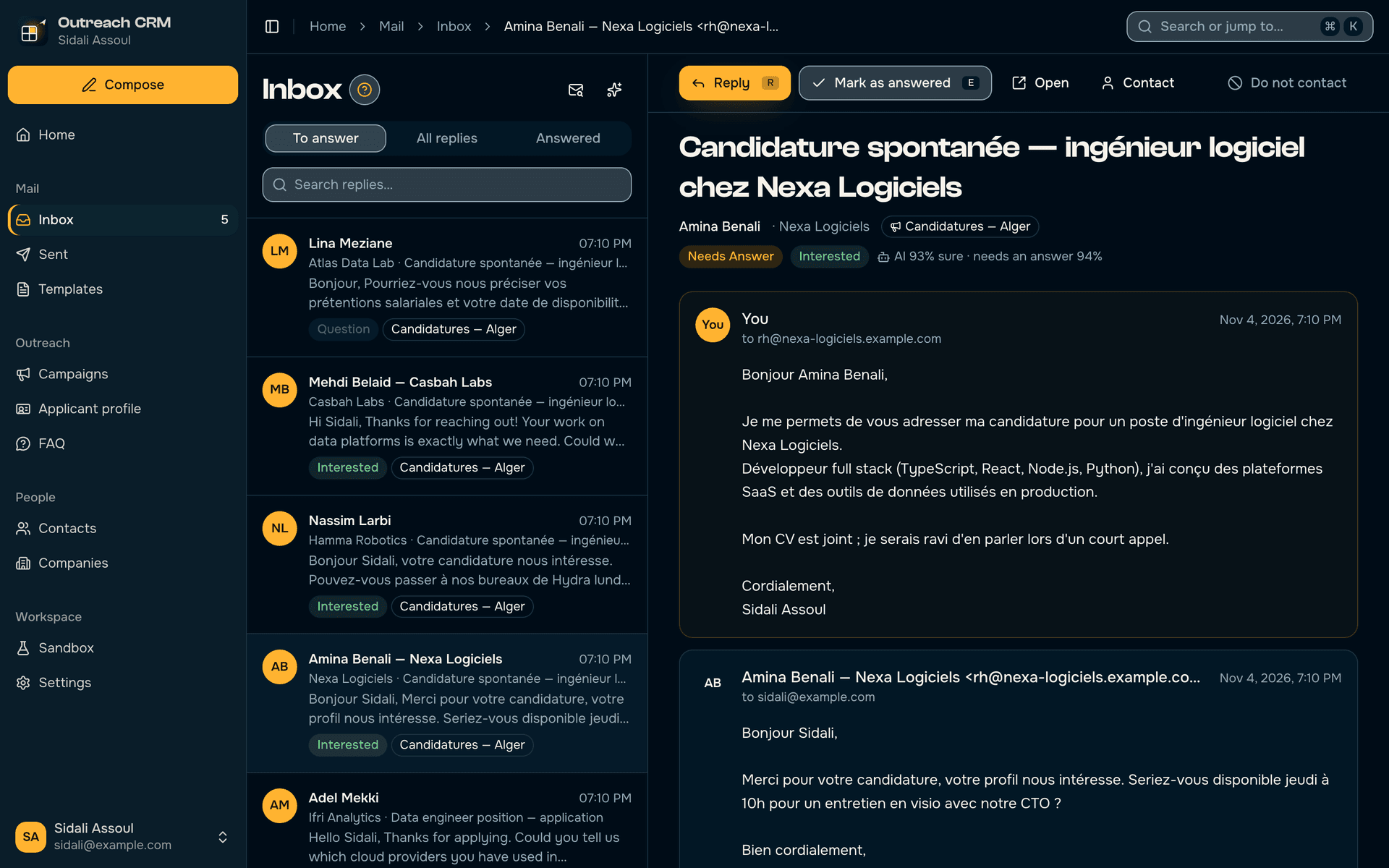
An inbox the AI has already read
- Replies are triaged as interested, question, auto-reply or not interested, with how sure the AI is.
- Decisions come from a calibrated decision model (Jev via OpenRouter, or Laya running free on the computer): probabilities in one pass, not a chat reply.
- The AI is advisory only; it never changes a status by itself, and every AI action checks the AI is reachable first.
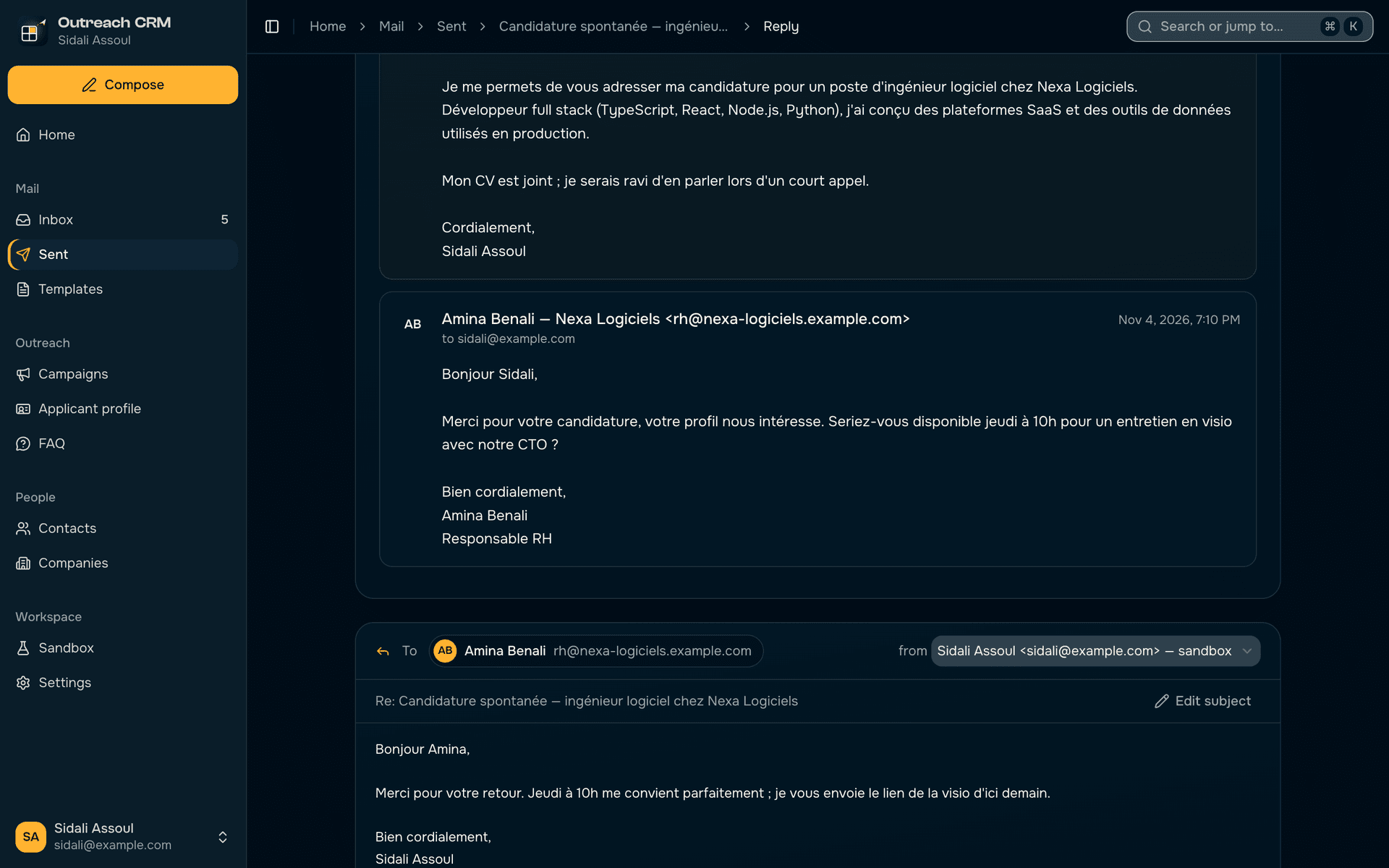
Replies like a mail client
- The thread sits above the editor; the person is a chip; their words are folded behind ••• and still quoted when it leaves.
- The reply goes from the same mailbox in the same thread, and counts as answered at the next mail check.
- Keyboard first: R replies, E marks answered, J and K move through the list.
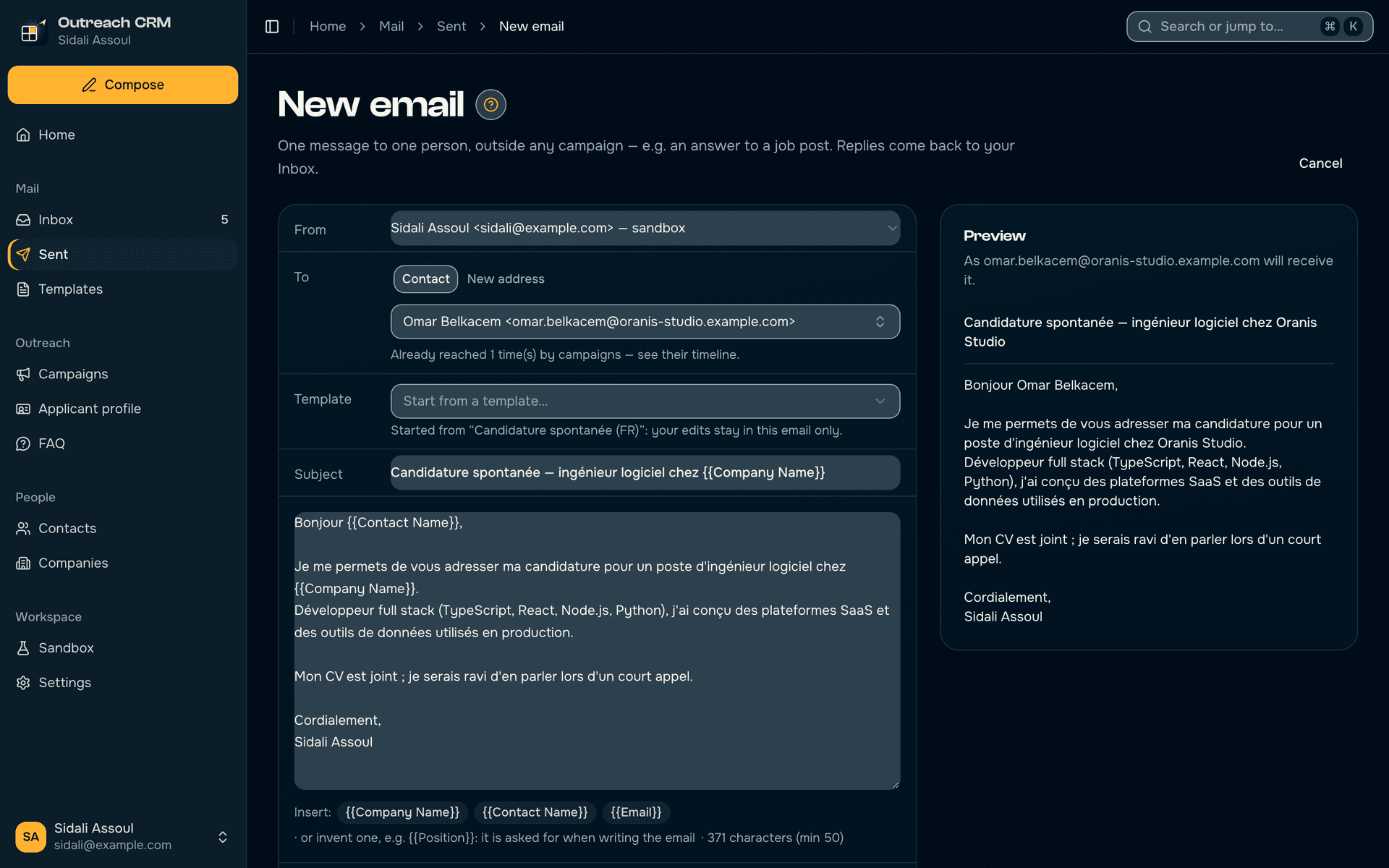
Single emails, previewed as received
- One-off emails outside any campaign, started from a template or from scratch, with PDF attachments.
- The preview shows the message exactly as the recipient will read it, placeholders filled.
- Any email can be saved back as a template.
Forms filled from one profile
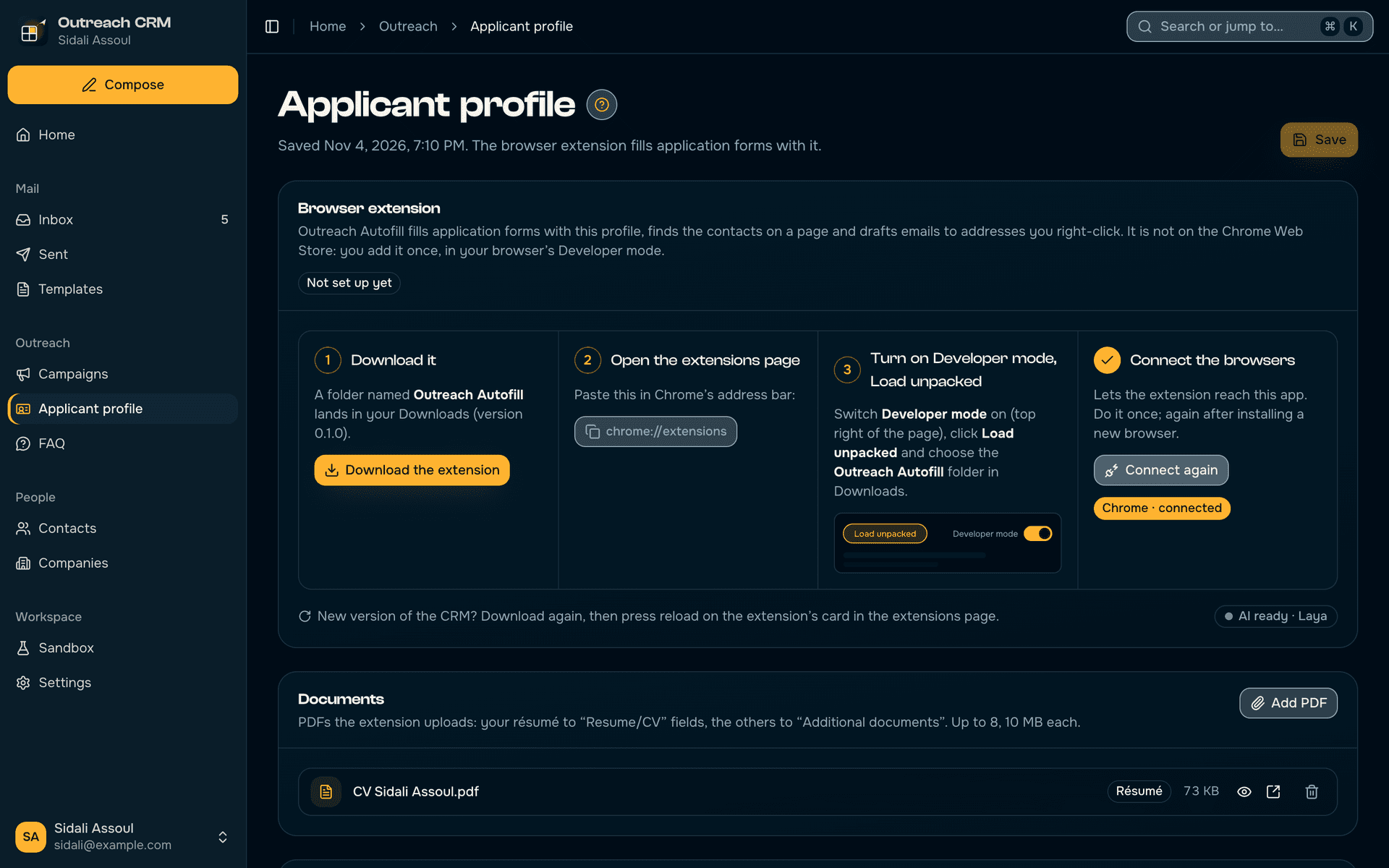
- A companion browser extension (Chrome, Edge, Brave, Arc, Vivaldi) fills job application forms from the applicant profile and uploads the résumé.
- The app ships the extension and walks through Developer mode › Load unpacked, ticking each step off as it sees it done.
- The extension reaches the app through native messaging, from the active profile only.
Laya fills the application form
- The extension's floating button opens a panel; Fill with AI fills the form from the applicant profile and attaches the résumé.
- Laya, the decision model running free on the computer through Ollaya, picks each option and the best FAQ answer.
- What it could not answer is listed for the user; Undo puts the form back.
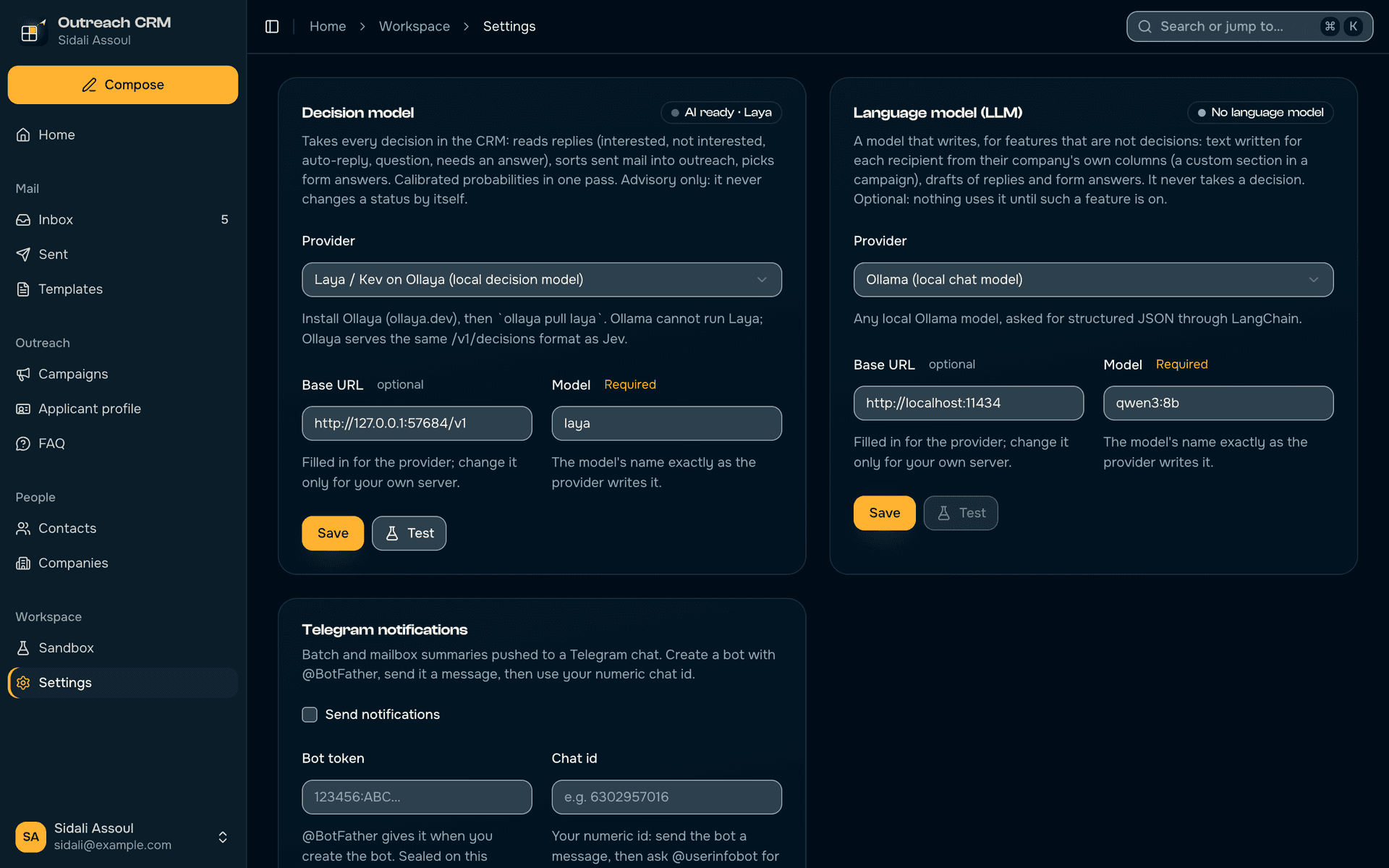
Two AIs, kept apart
- The decision model takes every decision; a separate language model is kept for features that write.
- API keys are sealed in the system keychain and checked on a free endpoint, never with a paid request.
- Local AIs (Laya on Ollaya, Ollama) are checked every few seconds, so starting one turns the status green.
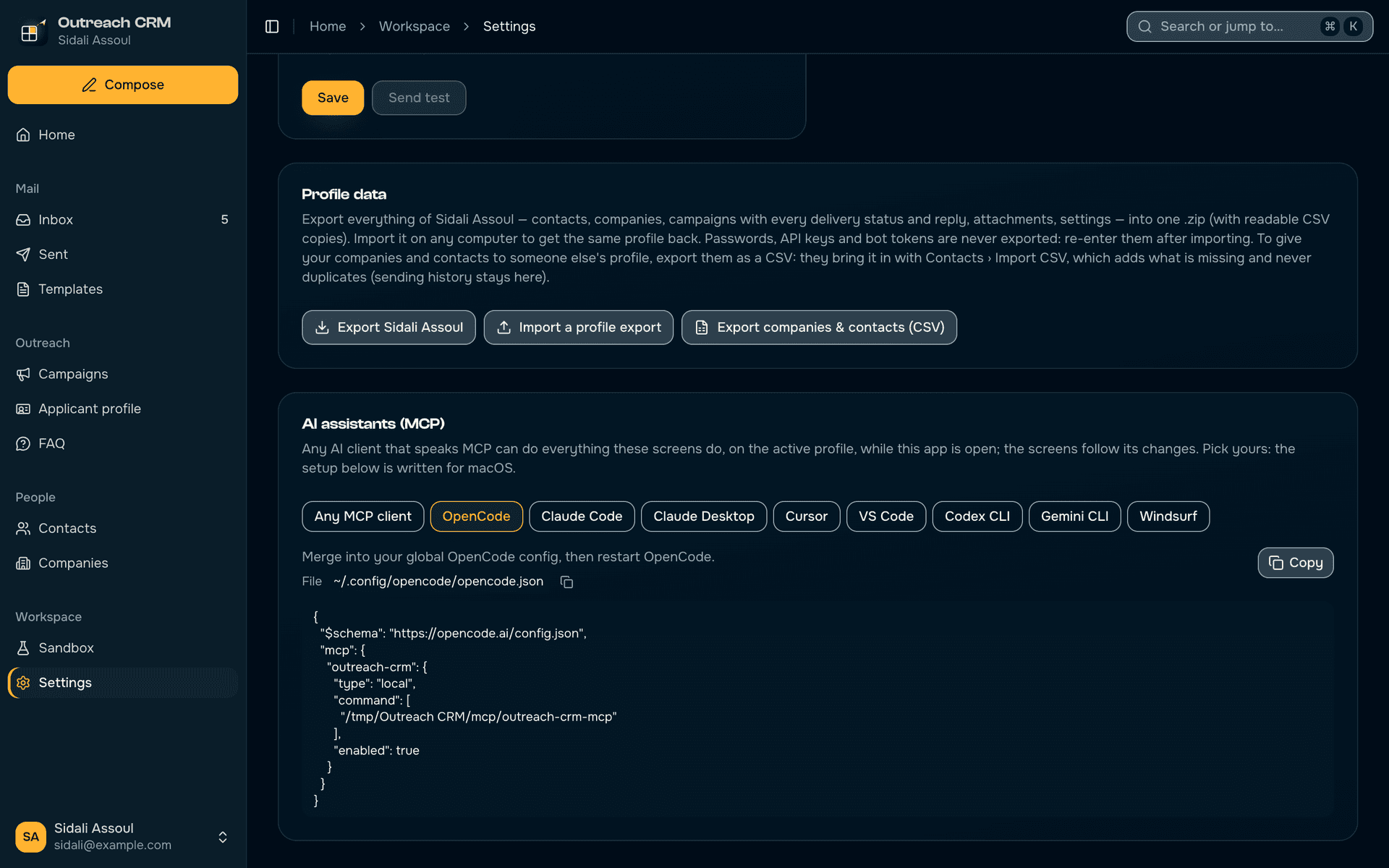
Any AI client can drive it
- 99 MCP tools cover every screen action, so OpenCode, Claude, Cursor, VS Code or Codex can run the CRM in plain language.
- The setup is written for the user's client and system, macOS or Windows paths included.
- A test fails the build whenever a new screen action has no tool.
A guide on every page
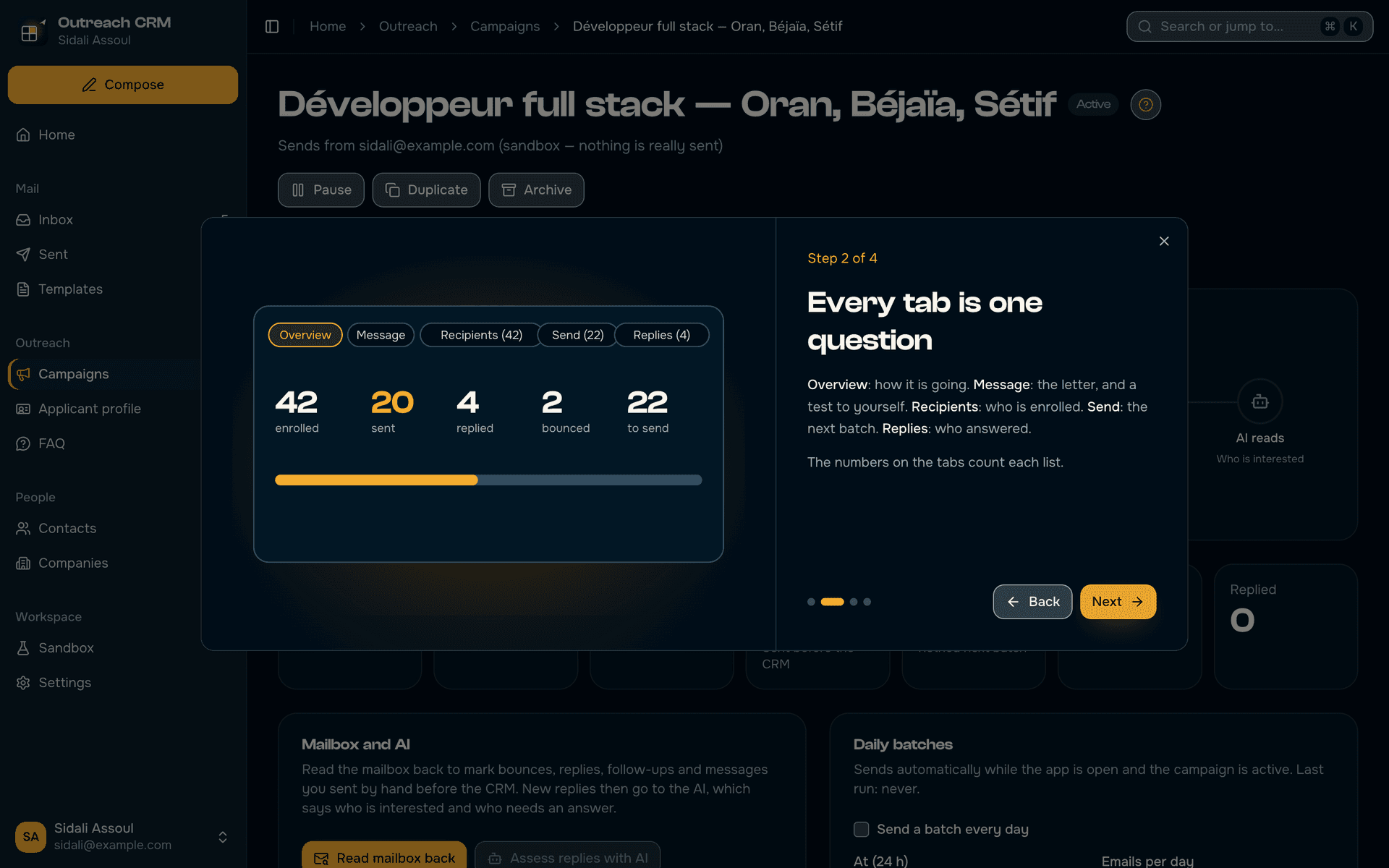
- Each of the 18 screens has a "?" walkthrough with its own drawings, explaining how that page works.
- The whole app wears the Saldae Dev design system, the same as the Saldae Dev site and sidaliassoul.com.
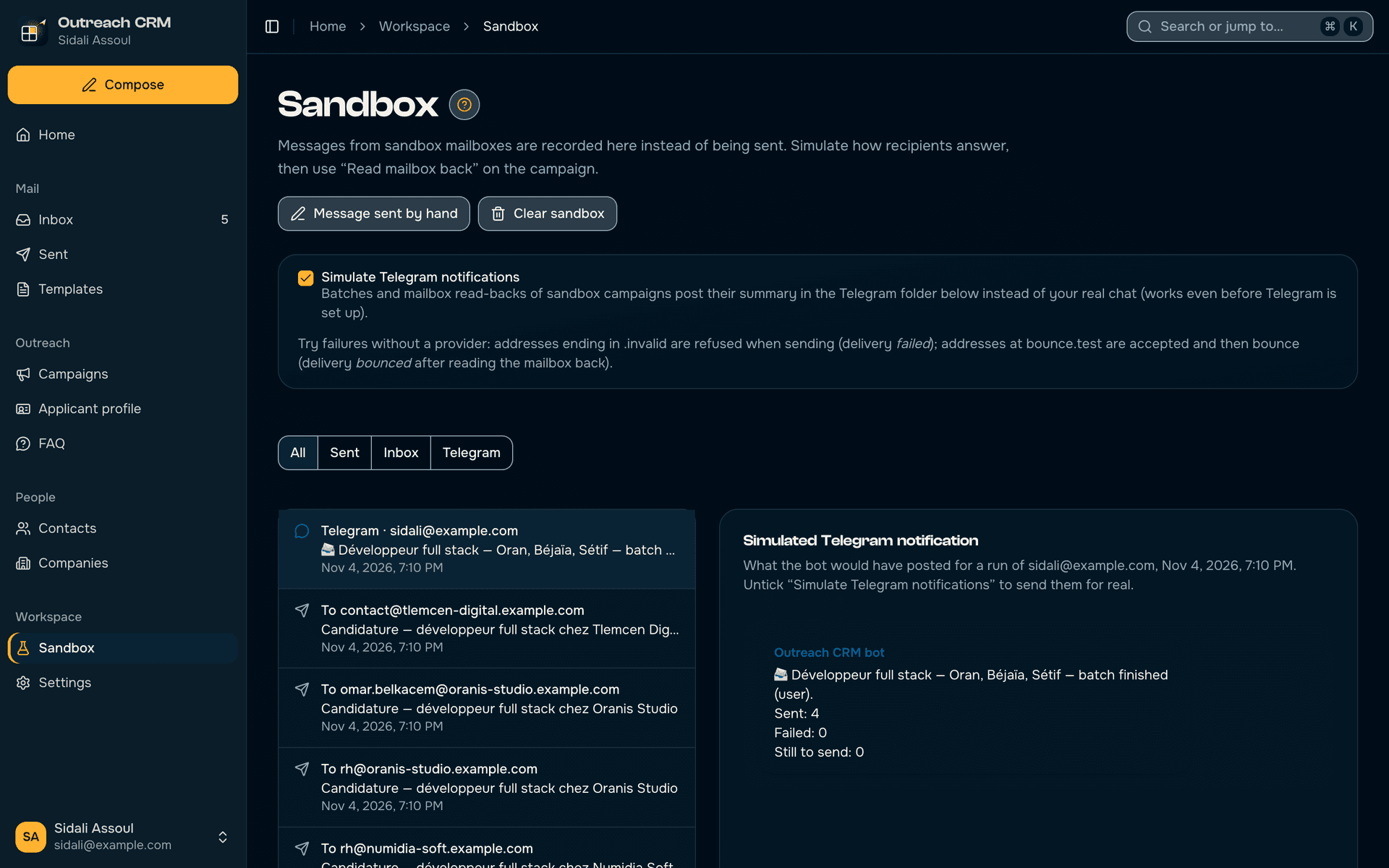
Rehearse without sending
- A Sandbox mailbox records every message on the computer instead of sending it.
- Replies and bounces can be simulated, so a whole campaign can be tried end to end safely.
- The automated tests run on it too, and never touch real mail or real data.
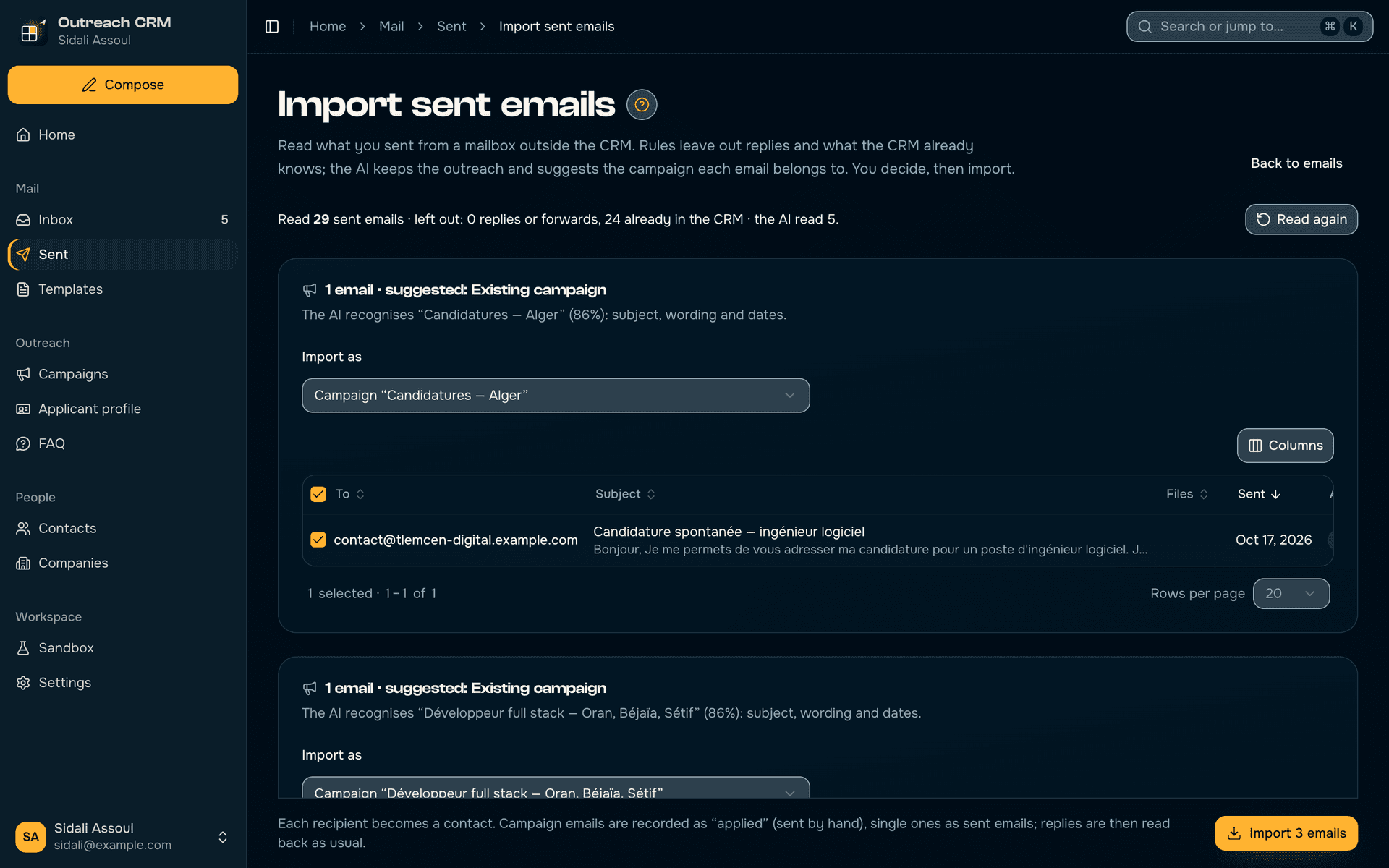
What was sent before, sorted by the AI
- Imports the emails sent by hand before the CRM, so nobody is written to twice.
- The decision model sorts them into outreach and the rest; the user checks what it proposes.
Every feature
Campaigns
- A wizard that starts from your goal: apply for a job, offer your services or follow up
- The audience in a few clicks: sector, city, source, never contacted, companies already contacted left out, company addresses only
- The audience fixed at launch, the recipient list editable by hand
- Fields filled per recipient, {{Company Name}} or any you invent
- PDF attachments, a test email to yourself and a preview of the next batch
- A batch right now, or every day at the time and size you choose
- Each batch followed live; pause, duplicate, archive
Mailboxes and sending
- Gmail through Google sign-in, no password stored
- Any SMTP/IMAP mailbox, with servers suggested for Yahoo, Outlook and the rest
- Several mailboxes, each tested in one click
- The mailbox read back: replies, bounces, follow-ups and answers sent by hand
- Emails sent before the CRM imported, so nobody is written to twice
Inbox and emails
- To answer, all replies, answered, with a reading pane
- The whole thread of every conversation, read from your mailbox
- Reply like a mail client, mark as answered
- Keyboard first: J and K to move, R to reply, E to mark answered
- Single emails outside campaigns, from a template, with preview and attachments
- Every sent email, filtered by campaign and status; resend a failed one
- Every attachment previewed or opened in one click
Artificial intelligence
- Every reply sorted: interested, question, auto-reply, not interested, and whether it needs an answer
- The AI’s certainty shown; it advises and never changes a status by itself
- Laya, free, on your computer, or Jev online with your OpenRouter key
- Imported emails placed in the right campaign
- The choices of application forms decided by the AI
- The AI is checked before every action; otherwise a message says how to fix it
- A separate language model, kept for features that write
Contacts and companies
- CSV import that merges by email address, no duplicates
- A page per company, with its people and its emails
- Tables with search, filters, sorting and bulk actions
- Do not contact, with its reason, respected by every campaign
- Each person’s timeline: emails, replies, bounces
- The day’s plan: who to answer, who was never contacted
- Your contacts exported and imported from one profile to another
Templates
- Reusable templates, with their attachments
- Duplicate a template, save any email as a template
- Fields filled in for each recipient
Browser extension
- Fills job application forms from your profile, in French or English, and attaches your CV
- Fill with AI: Laya picks the options and the best answer from your FAQ
- Fill from the CRM only, undo, and the list of questions left for you
- Finds the contacts on a page (⌥⇧K) and adds them to the CRM
- Right-click an address: an email drafted in the CRM
- ⌥⇧F to fill, hide the button on a site
- Chrome, Edge, Brave, Arc and Vivaldi
Applicant profile
- Contact details, experience, education, skills and links
- A FAQ of the questions forms always ask, in French and English
- Answers typed into a form kept for next time
- Your documents: CV, cover letter and other PDFs
Workspace
- Several profiles, each in its own database, never mixed
- A profile exported as a .zip and imported on another computer, without passwords
- A Sandbox mailbox to rehearse everything without sending anything
- Batch and mail-check summaries on Telegram
- AI assistants (OpenCode, Claude, Cursor, Codex…) drive the whole CRM through MCP
- Search or jump anywhere with ⌘K, and the shortcuts help
- An illustrated guide on every page; macOS and Windows
How to buy it
- 1
Message us on WhatsApp
Tell us whether you are on macOS or Windows.
- 2
Pay
By CCP, BaridiMob, bank transfer with an invoice, or cash in Algiers.
- 3
Install
You receive the installer. A guide on every screen explains how it works, and we answer on WhatsApp.
Questions
25 000 DA, paid once, for one computer and for life, with one year of updates and support on WhatsApp.
Gmail, by signing in with Google, or any mailbox with SMTP and IMAP (Outlook, Yahoo, a work address). Emails leave from your address and replies arrive in your inbox as usual.
Not with Laya, which runs free on your computer. With Jev, the online AI, you use your own OpenRouter key, billed by OpenRouter as you use it.
On your computer, in the app. Passwords and keys are sealed in the system keychain.
Yes: the Sandbox mailbox records every message on the computer instead of sending it, and simulates replies, so you can rehearse a whole campaign safely.
The app keeps working, for life. The first year includes the updates.